


Quantity Break Tiers
Offer Single, Duo and Trio style tiers on the product page, each with its own price or discount.

Zyga Bundles
Product bundles · Discounts
Every bundle type you need to lift average order value, from one Shopify dashboard.
Zyga Bundles is a Shopify bundle app for building mix and match bundles, build-your-own boxes, quantity breaks, volume discounts, combos, free gifts and upsells. Every bundle is styled to match your theme with a live preview, and built-in analytics show the revenue, orders and average order value each bundle brings in.
Zyga Bundles gives you nine bundle types across quantity breaks, mix and match, combos and add-ons, plus the design, cart and analytics tools to run them. Every feature is included on every paid plan, so you only choose a plan by the bundle revenue it covers.
Reward customers for buying more of the products they already want.
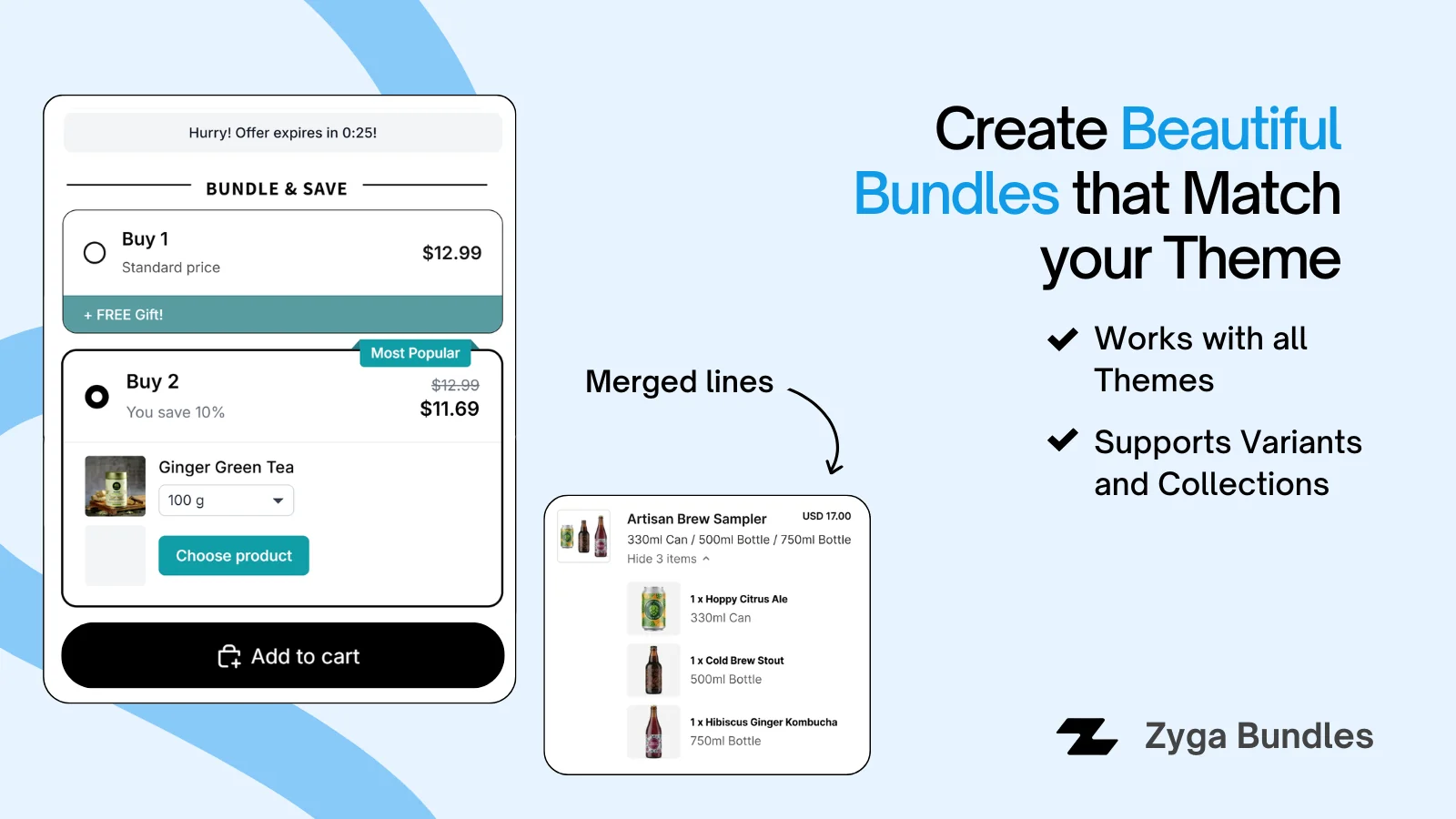
Offer Single, Duo and Trio style tiers on the product page, each with its own price or discount.
Let customers fill each tier with products they pick from a pool you define, not one fixed product.
Set min and max quantity ranges with their own discount, and leave the last tier open-ended.
Turn any quantity offer into a Buy X Get Y deal so customers earn an extra item or benefit.
Price each tier at the default price, a percentage off, a fixed amount off or a fixed total.
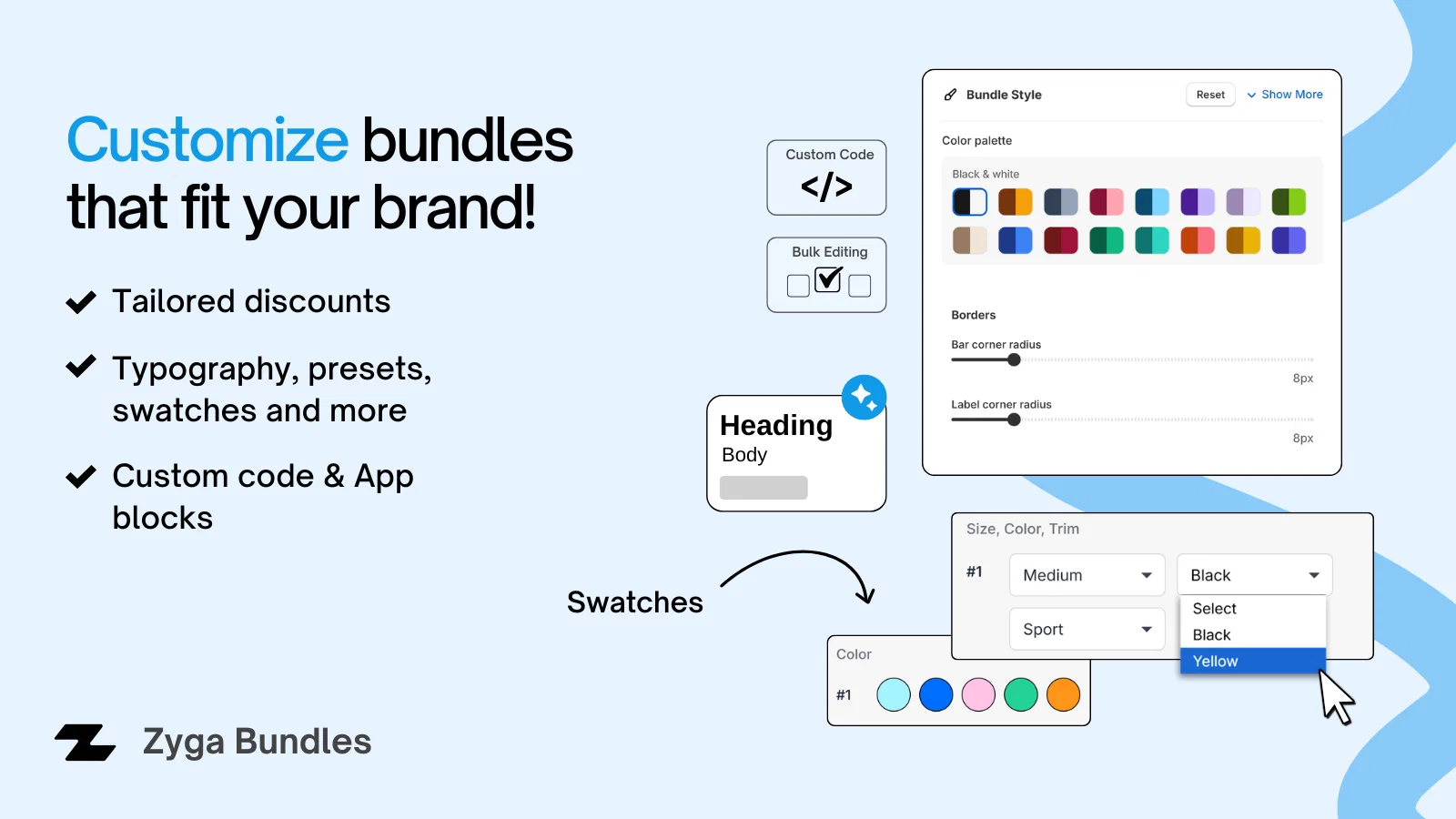
Customers can choose a different size or color for every unit in a quantity bundle.
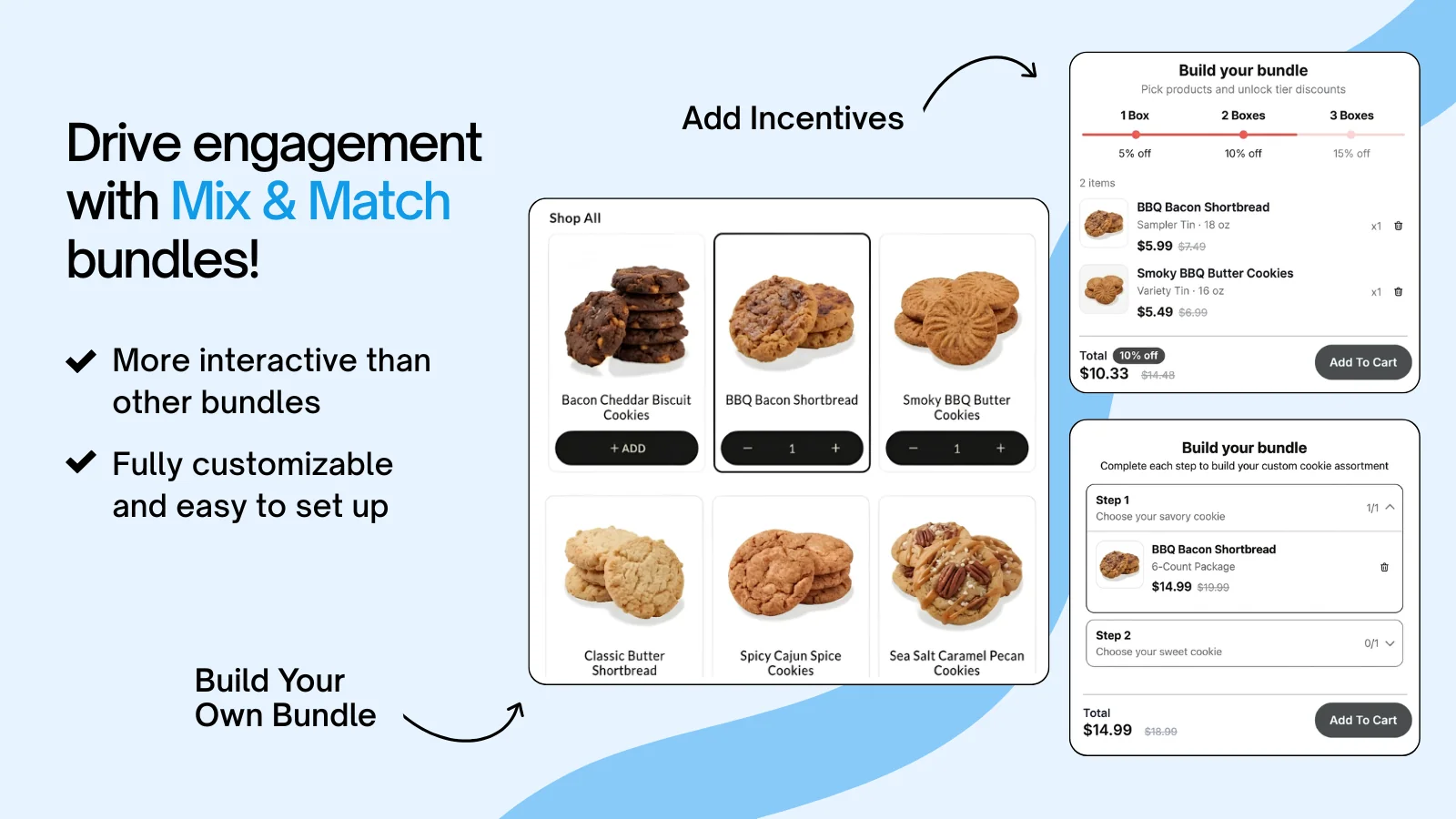
Let shoppers build the exact bundle they want while you control the discount.
Customers pick products from your pool to build a box, with the bundle price updating as they add.
Guide shoppers through ordered steps, each with its own product pool, slots and required picks.
Fill a bundle from all products, hand-picked products or whole collections, step by step.
Unlock bigger savings as the box grows, such as 5% off two items and 10% off four.
A progress bar shows how close the customer is to completing the bundle or the next discount.
Show the product pool inside a pop-up picker or inline on the page, in a grid or a list.
Pair products together and add extras right where the buying decision happens.
Combine several products into one offer, laid out side by side or stacked, with a discount on any item.
Offer complementary products on the product page with their own discount, quantity and custom title.
Give one or more free gifts with a purchase, with the original price shown to highlight the value.
Let customers choose one gift, choose several, or receive every gift, with optional preselected items.
Attach a free gift or an upsell to a specific quantity tier to make the bigger tier more attractive.
Rename add-on products and use custom images so every extra looks right for the offer.
Small touches on every bundle that make the bigger order the easy choice.
Add urgency with a fixed-duration timer per visitor or a shared countdown to a set end date.
Keep the bundle's Add to Cart bar visible while customers scroll, with your own button label.
Highlight a tier or product with badges such as Best Value or Most Popular and extra labels.
Show both prices side by side so customers can see exactly how much the bundle saves.
Show the price of each item in a tier and short benefit lines that explain the deal.
Preselect the tier you want to promote so customers see your recommended offer first.
Make every bundle look like a native part of your theme, without code.
Pick from ready-made color palettes or set custom colors so bundles match your store's branding.
Adjust the text styles used throughout each bundle, with a one-click reset to the defaults.
See exactly how the bundle will look to customers as you change tiers, prices and styles.
Replace plain bullet points with product images to make each offer more visual.
Hide your theme's default variant picker when the bundle shows its own variant selection.
Show mix and match bundles as a full-width page block or inside the product page.
Decide where bundles appear and keep the cart clean when they're added.
Display each bundle on all products, on selected products or on every product in chosen collections.
Merge a bundle into a single cart line with its own checkout title and image.
Hide a bundle's total and Add to Cart button when you want customers to finish elsewhere.
Run every bundle from one dashboard and see which offers actually make money.
Track total revenue, orders and average order value from bundles for any date range.
Chart bundle performance over your chosen period and switch the metric with one click.
Compare revenue and orders for every bundle by type and status, sorted the way you need.
Save bundles as drafts, run them when ready and pause any bundle without losing its settings.
Copy an existing bundle as the starting point for a new one instead of rebuilding it.
See how much bundle revenue you've used against your plan limit, and manage your plan.
Help when you need it and a bundle app that fits the stack you already run.
Reach live support inside your Shopify admin any time for bundle, billing or setup questions.
Bundles are styled to fit any theme and work alongside Monster Cart Upsell + Free Gifts.
Run the app in English, Arabic, Spanish, French, Dutch, German, Italian, Portuguese, Chinese, Japanese and Norwegian.
No code and no developer. These are the same steps the in-app setup guide walks you through.
Add Zyga Bundles from the Shopify App Store and choose a plan by your monthly bundle revenue.
7-day free trial on paid plans
Pick quantity breaks, mix and match, combos or add-ons, then set products, tiers and discounts.
Check it in the live preview
Run the bundle and it appears on the products or collections you chose, styled to your theme.
Track results in Analytics
Every paid plan includes every feature and unlimited bundles. Plans differ only by the monthly bundle revenue they cover.
Full plan details are on the Zyga Bundles pricing section.
See all 9 comparison points on the Zyga Bundles page.
Sell variety packs and build-a-box assortments, then reward bigger orders with quantity breaks and tiered volume discounts.
Let customers build their own routine or gift set with mix & match bundles, and add a free gift to lift average order value.
Bundle outfits across collections with full variant and swatch support, so shoppers mix sizes and colors in one add-to-cart.
Encourage stock-up orders with quantity breaks and volume pricing, and pair best sellers with Buy X Get Y offers.
Add frequently-bought-together upsells and cross-sells so the case, cable or warranty gets added right on the product page.
Launch build-a-box gift bundles and limited-time BOGO offers for holidays and events, styled to match your theme.
Zyga Bundles supports quantity breaks, quantity break choose, volume discounts, build-your-own bundles, multi-step bundles, horizontal and vertical combos, upsell add-ons and free gift add-ons.
Yes. Build-your-own and multi-step bundles draw from a product pool you define: all products, selected products or whole collections.
Yes. Quantity offers can use Buy X Get Y pricing, any quantity tier can include a free gift or upsell, and the Free Gift Add-on lets customers choose their gifts.
Every paid plan includes every feature and unlimited bundles. Plans only differ by the monthly bundle revenue they cover, and there's a free plan for development stores.
Yes. The Analytics page shows total revenue, orders and average order value from bundles for any date range, a trend chart, and performance for each individual bundle.
Install free from the Shopify App Store. No code, no credit card.
 Smart Variant Table features
 Offer Your Price features
 Age Gate Popups & Disclaimer features
 Donate Now features
 Spin Wheel features
 Fontly features
 myCred Loyalty Points features
 Smart Product Wishlist features
 B2B Request Quote features