


1,800+ Google Fonts
Choose from more than 1,800 Google Fonts and apply any of them to any element in your store.

Fontly
Design elements · Content
Change any font in your Shopify store without touching theme code.
Fontly is a Shopify font changer app that applies Google Fonts or your own uploaded fonts to any page, section or HTML element. Merchants pick a font family, size, color and style for each tag, preview the result live and add custom CSS when they need finer control.
Fontly covers where fonts come from, where they apply and how they look. Every feature is included in one plan.
Use the world's biggest free font library or your own licensed brand fonts.
Choose from more than 1,800 Google Fonts and apply any of them to any element in your store.
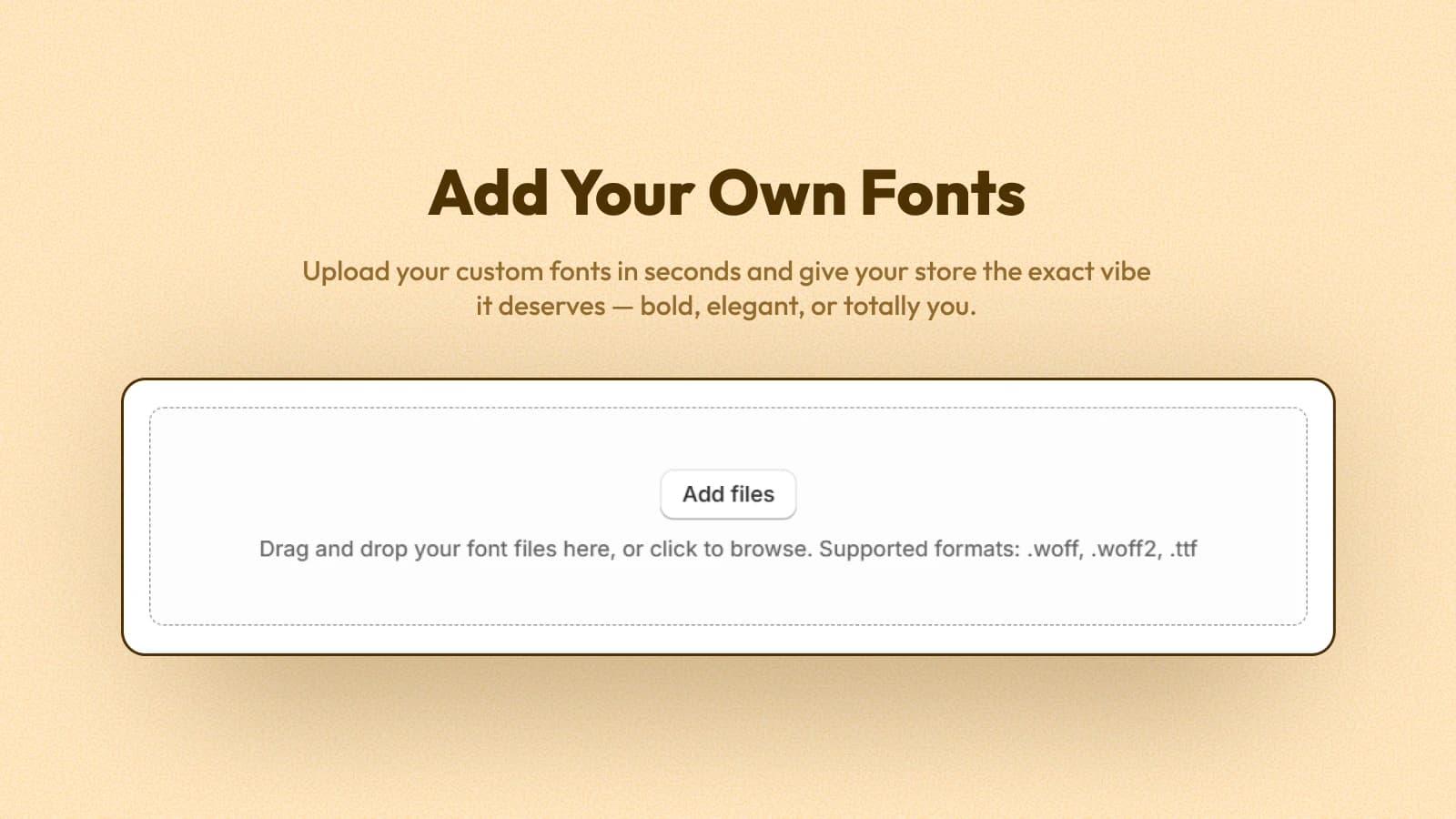
Upload your own .woff, .woff2 or .ttf files to use your licensed brand typeface anywhere.
See each font in the preview panel before you apply it to your live store.
Change fonts exactly where you want them, and nowhere else.
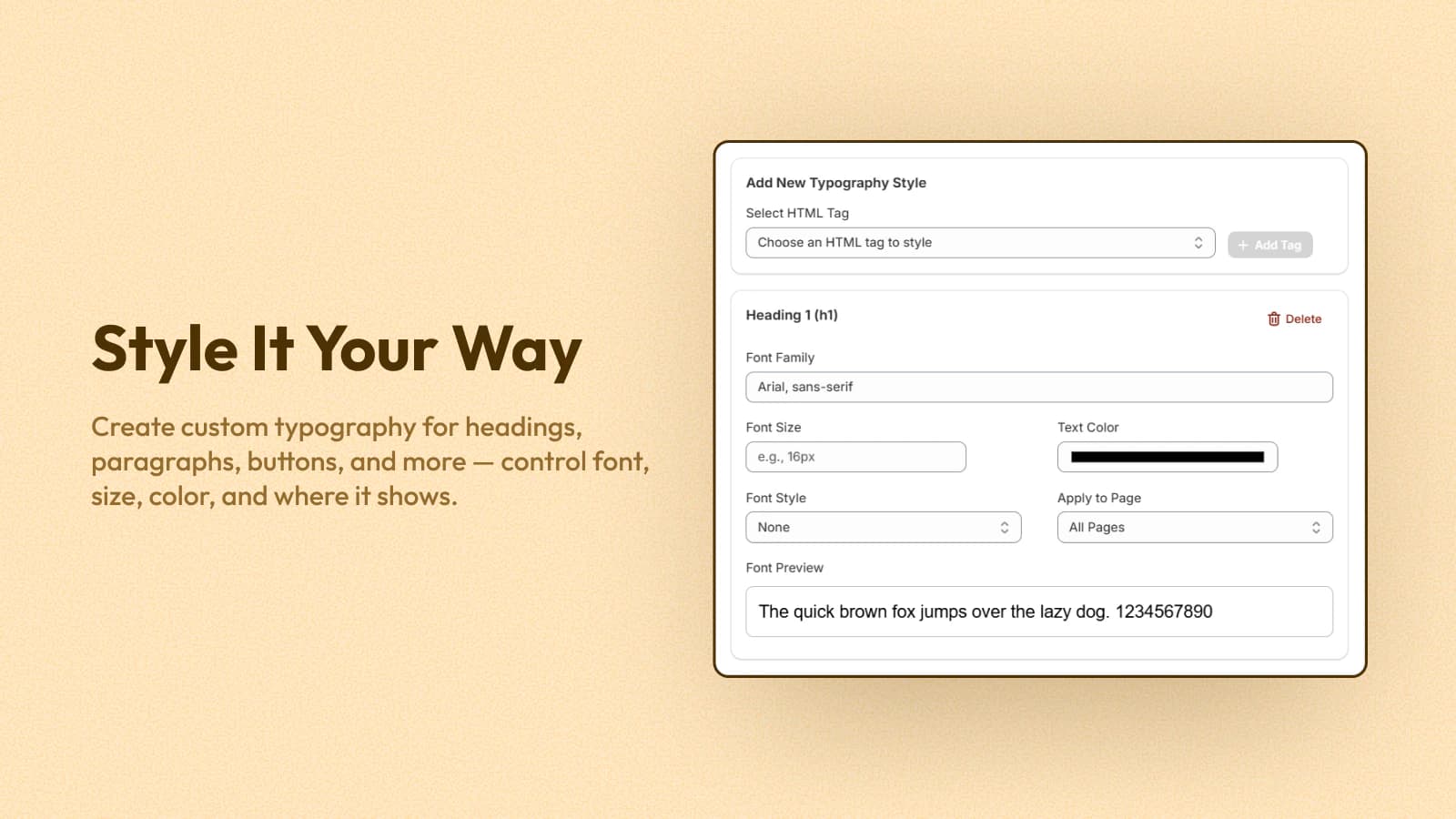
Add any HTML tag, such as H1, H2 or paragraph, and give it its own font and style.
Apply a font to selected pages only, such as a landing page or your blog.
Target individual sections and elements for precise brand styling across the store.
Fine-tune how every piece of text looks.
Set the size for each tag so headings and body text keep a clear hierarchy.
Pick a text color for each tag to match your brand palette.
Choose the style and weight for each tag, from light body text to bold headings.
Start from default styles for common HTML tags and adjust only what you need.
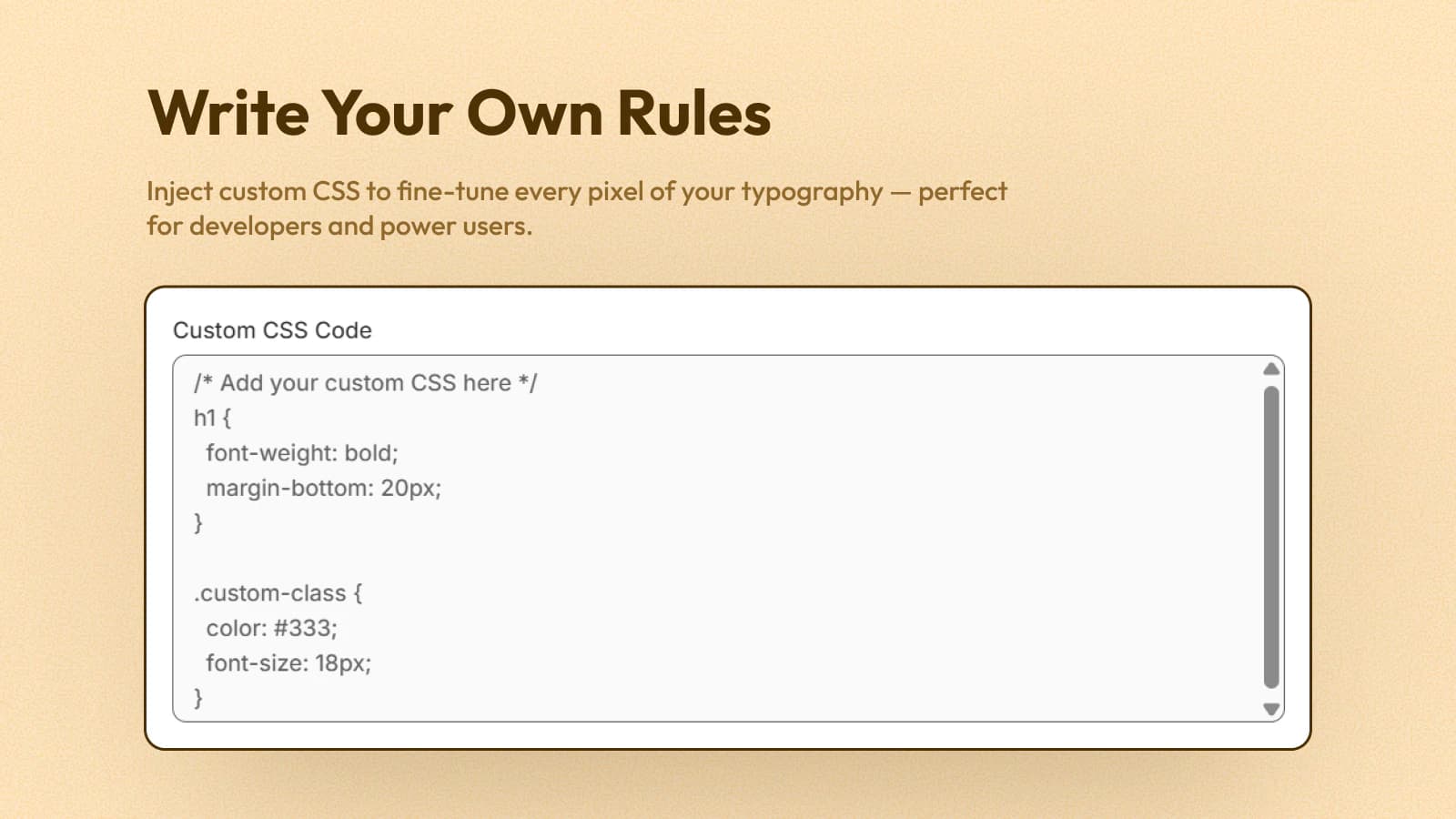
Write your own CSS for precise typography control beyond the built-in settings.
Preview font changes as you edit, then save to apply them to your store instantly.
Up and running in a couple of clicks on the theme you already use.
Click Enable App Embed and the app embed switches on in your theme automatically.
Turn font customization on or off for the whole store with a single status toggle.
Built to work with Shopify themes and page builders such as Sense, Studio and EComposer.
No code and no developer. These are the same steps the in-app setup guide walks you through.
Add Fontly from the Shopify App Store and approve the Pro plan.
14-day free trial
Click Enable App Embed, save in the Theme Editor, then switch the app status on.
No code needed
Pick a tag, choose a Google or custom font, set size, color and pages, then save.
Preview it on your live store
One plan includes every Fontly feature, with a 14-day free trial.
Full plan details are on the Fontly pricing section.
Fontly includes 1,800+ Google Fonts, custom font uploads, fonts per HTML tag and per page, size, color and style controls, custom CSS and a live preview.
Yes. Upload .woff, .woff2 or .ttf files and use your brand font on any tag or page.
Yes. Choose which pages each font style applies to, so a landing page or blog can have its own typography.
No. Fontly works through an app embed and its own settings. Custom CSS is there only if you want extra control.
Fontly is built to work with Shopify themes and apps, including Sense, Studio and EComposer.
Install from the Shopify App Store and try it free. No code required.
 Smart Variant Table features
 Offer Your Price features
 Age Gate Popups & Disclaimer features
 Donate Now features
 Spin Wheel features
 myCred Loyalty Points features
 Smart Product Wishlist features
 B2B Request Quote features
 Zyga Bundles features