


Pro
Name-Your-Price Offers
Let customers submit their own price on product pages and buy at the price they offered.

Offer Your Price
Pricing optimization · Pricing quotes
Let customers name their price while you keep full control of your margins.
Offer Your Price is a Shopify app that lets customers enter their own price or pick a preset price on product pages. Merchants set minimum and maximum limits, guide offers with suggested and popular prices, hide the regular price and Add to Cart button, and track every offer in a log.
Offer Your Price covers the full offer flow: where offers appear, how customers enter a price, the limits that protect your margin and the reports that show what customers paid. Each feature lists the lowest plan that includes it.
Decide exactly which products accept offers, with as many rules as you need.
Let customers submit their own price on product pages and buy at the price they offered.
Apply a rule to every product in your store, or to every product in the collections you choose.
Apply a rule only to hand-picked products, found by searching or filtering by type, tag or vendor.
A default rule covering all products is created on setup and can be edited at any time.
Pause any rule without deleting it, then switch it back on when you want offers again.
Create and edit offer rules by asking Shopify Sidekick instead of filling in every field.
Give shoppers a free-form price field, quick preset buttons, or both.
Customers type the exact price they want to pay into a field with your own placeholder text.
Offer ready-made prices customers can pick in one tap, each with its own label and amount.
Show preset prices with an Other option that opens a custom amount field when chosen.
Display preset prices as pill buttons, a radio list or a compact dropdown menu.
Enter From, To and Step values and the app creates every preset price in that range.
Preselect the price you'd most like customers to choose when the offer block first loads.
Accept offers without ever selling below the price you're happy with.
Set the lowest and highest price customers can offer, with no maximum if you prefer.
Calculate the minimum offer from each product's price plus a fixed amount or a percentage.
Base the minimum on the selected variant, the lowest-priced variant or the highest-priced one.
Every offer is checked against your limits before it can go to the cart.
Write your own below-minimum and above-maximum messages, with {min} and {max} filled in automatically.
Confirm a successful offer with your own message when the product goes to the cart.
Nudge customers toward the price you'd like to see without forcing it.
Show a recommended amount with your own label as a gentle hint of the price you'd prefer.
Label the price most customers choose, such as “People often buy”, to steer new offers.
Use the placeholder inside the offer field to explain what customers should enter.
Show offers only to the customers and markets you choose.
Limit an offer rule to customers in selected countries, chosen from a searchable list.
Show offers only to customers with selected tags, such as wholesale or VIP buyers.
Show the offer option on your catalogue pages as well as on individual product pages.
Control how the offer block looks and what else shoppers see on the page.
Remove the standard buy buttons on matching products so customers can only buy through an offer.
Hide the regular price on matching products so only the offer interface is shown.
Set the Offer Your Price button's background color, text color and label to match your theme.
Choose the background and text colors of the preset price options.
Set the width of the offer block so it sits neatly in your product page layout.
Add your own CSS to style the offer button and block down to the last detail.
See what customers actually paid and which rules bring in revenue.
See revenue from accepted offers, orders, average paid price and active rules on the home screen.
Compare offers and revenue for every rule in the rules table to see which ones work.
Review each offer with its order ID, product, quantity, original price and offered price.
Find offers by product or order ID and sort the log to spot patterns.
A two-step setup guide helps you create your first rule and add the offer block to your theme.
Get help from the team on live chat while you set up or adjust your offer rules.
No code and no developer. These are the same steps the in-app setup guide walks you through.
Add Offer Your Price from the Shopify App Store and choose Pro or Business.
Free trial on paid plans
Open the Theme Editor from the app and add the Offer Your Price block to your product template.
Adjust its position, then save
Pick the products, the offer method and your price limits, then switch the rule on.
Offers go live immediately
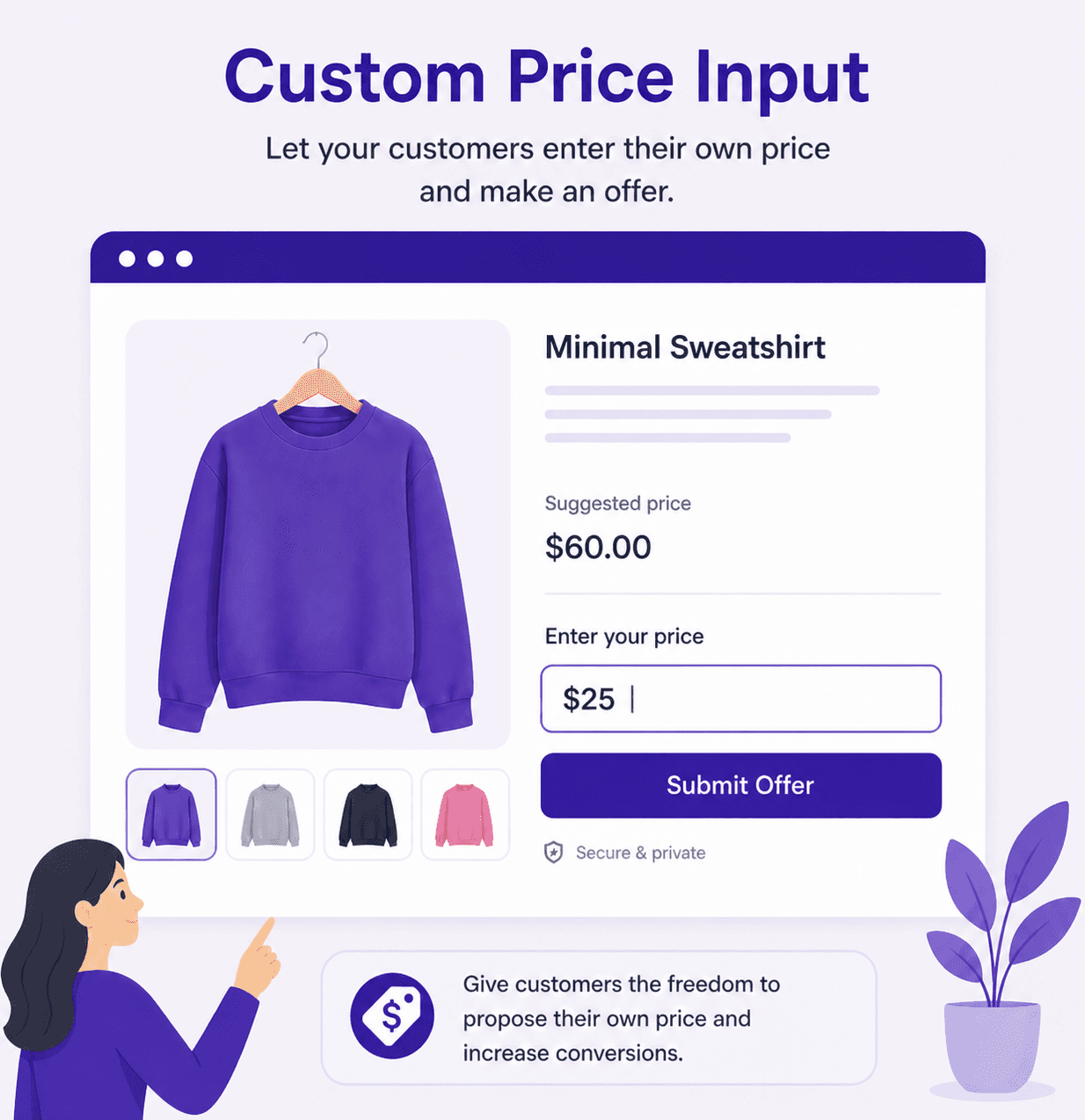
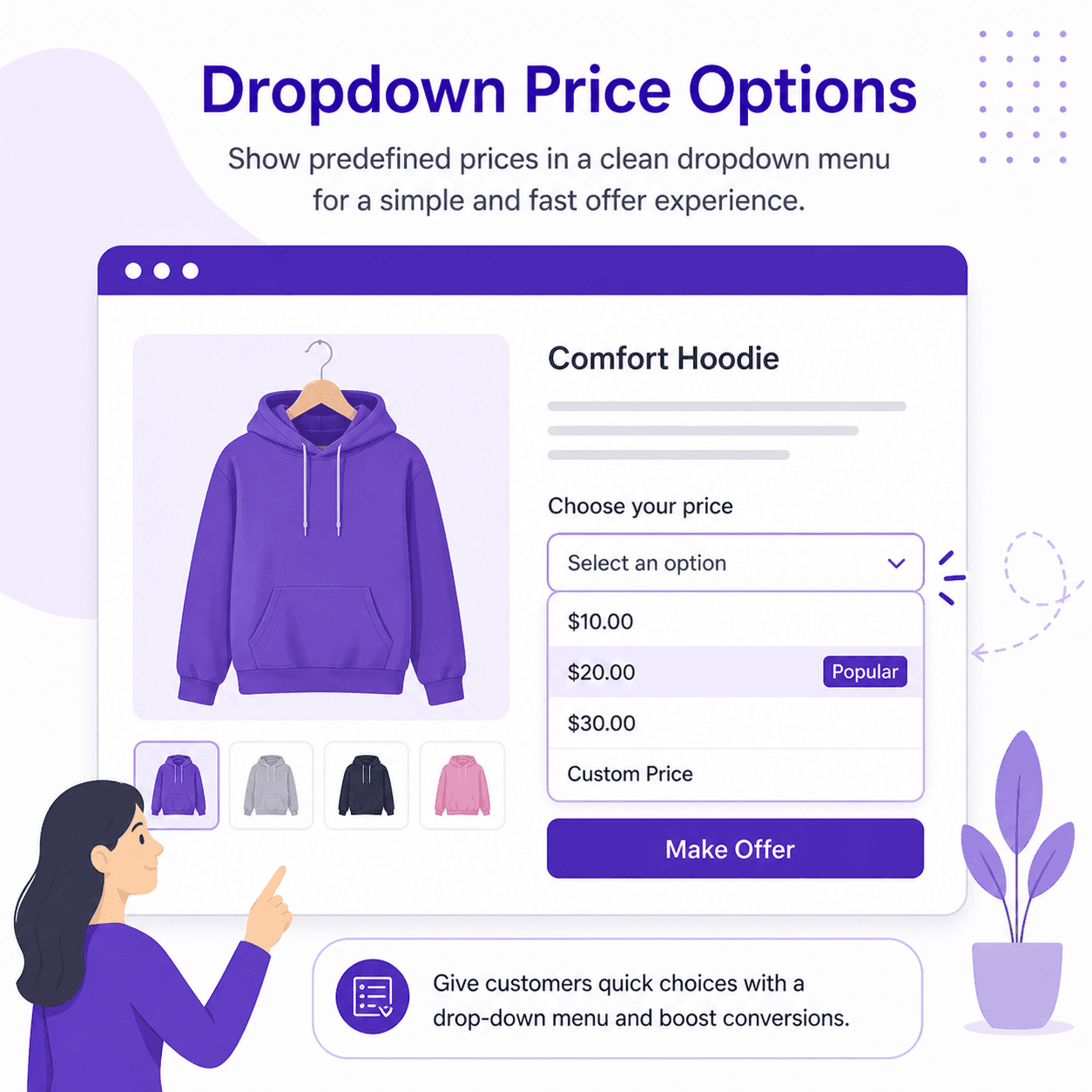
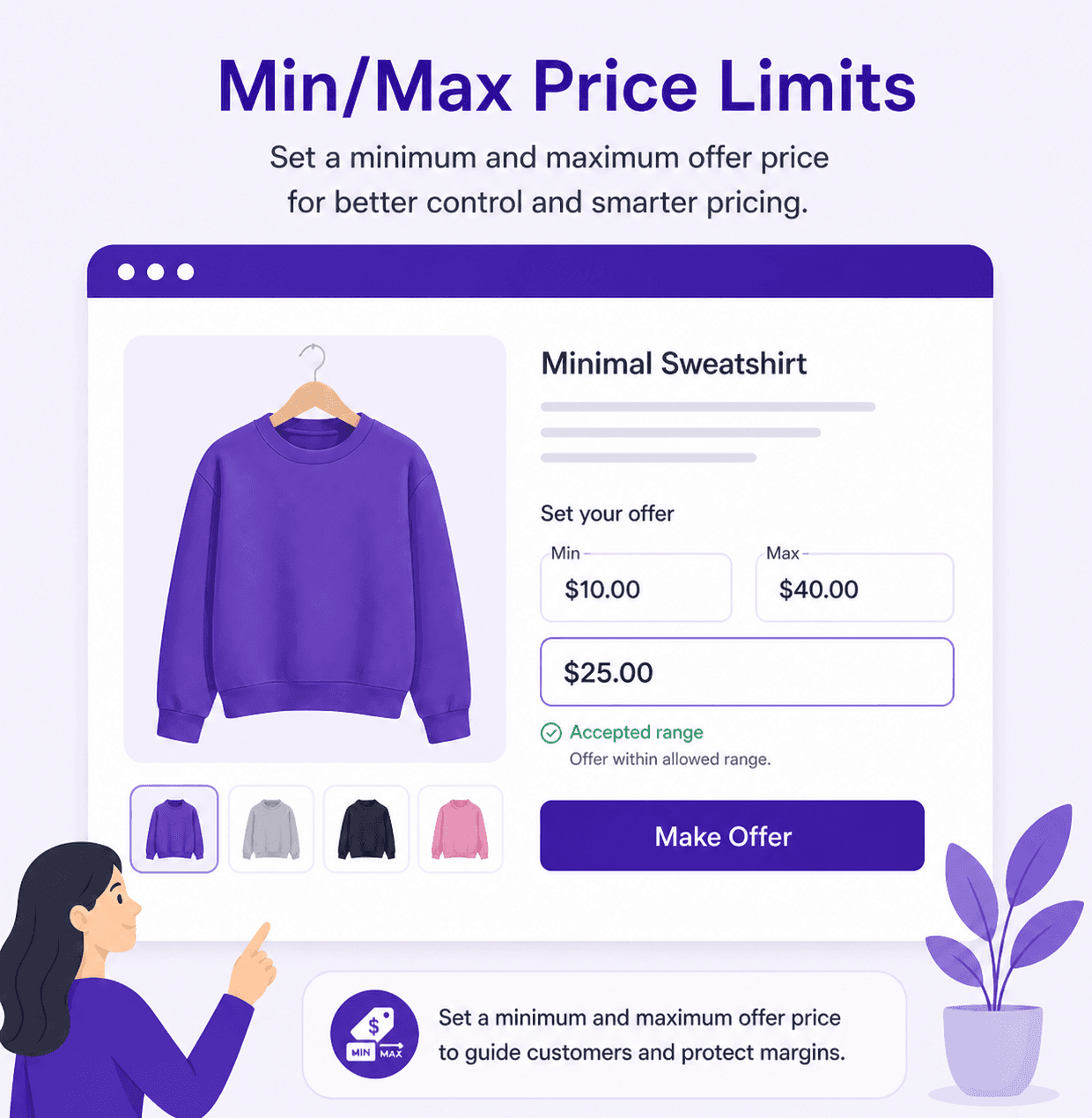
Every paid plan starts with a free trial. Cancel any time.
| Feature | Pro$5.99/ month | Business$7.39 / month |
|---|---|---|
| Fixed min & max price limits | ||
| Suggested price | ||
| “People often buy” popular price tag | ||
| Predefined & custom prices | ||
| Hide Add to Cart & product price | ||
| Create & edit rules with Sidekick | ||
| Offers on catalogue pages | ||
| Live chat support | ||
| Country-based offer control | — | |
| Customer tag restrictions | — | |
| Target specific products | — | |
| Min & max by product price + threshold | — |
Full plan details are on the Offer Your Price pricing section.
Offer Your Price includes name-your-price offers, custom and preset offer methods, minimum and maximum limits, price-plus-threshold minimums, suggested and popular prices, country and customer tag restrictions, hidden prices and Add to Cart buttons, and offer logs with revenue reporting.
Yes. Set a minimum and maximum offer for each rule, or on the Business plan calculate the minimum from each product's price plus a fixed amount or percentage. Offers outside your limits are rejected with your own message.
Yes. Each rule can hide the regular product price and the Add to Cart and Buy Now buttons, so customers can only buy through an offer.
Yes. On the Business plan, restrict any rule to customers in selected countries, to customers with selected tags such as wholesale or VIP, or to specific products.
No. Offers that fall within your limits are added to the cart at the offered price straight away, so customers can check out immediately.
Install from the Shopify App Store and try it free. No code required.
 Smart Variant Table features
 Age Gate Popups & Disclaimer features
 Donate Now features
 Spin Wheel features
 Fontly features
 myCred Loyalty Points features
 Smart Product Wishlist features
 B2B Request Quote features
 Zyga Bundles features