


Free
Variant Table Layout
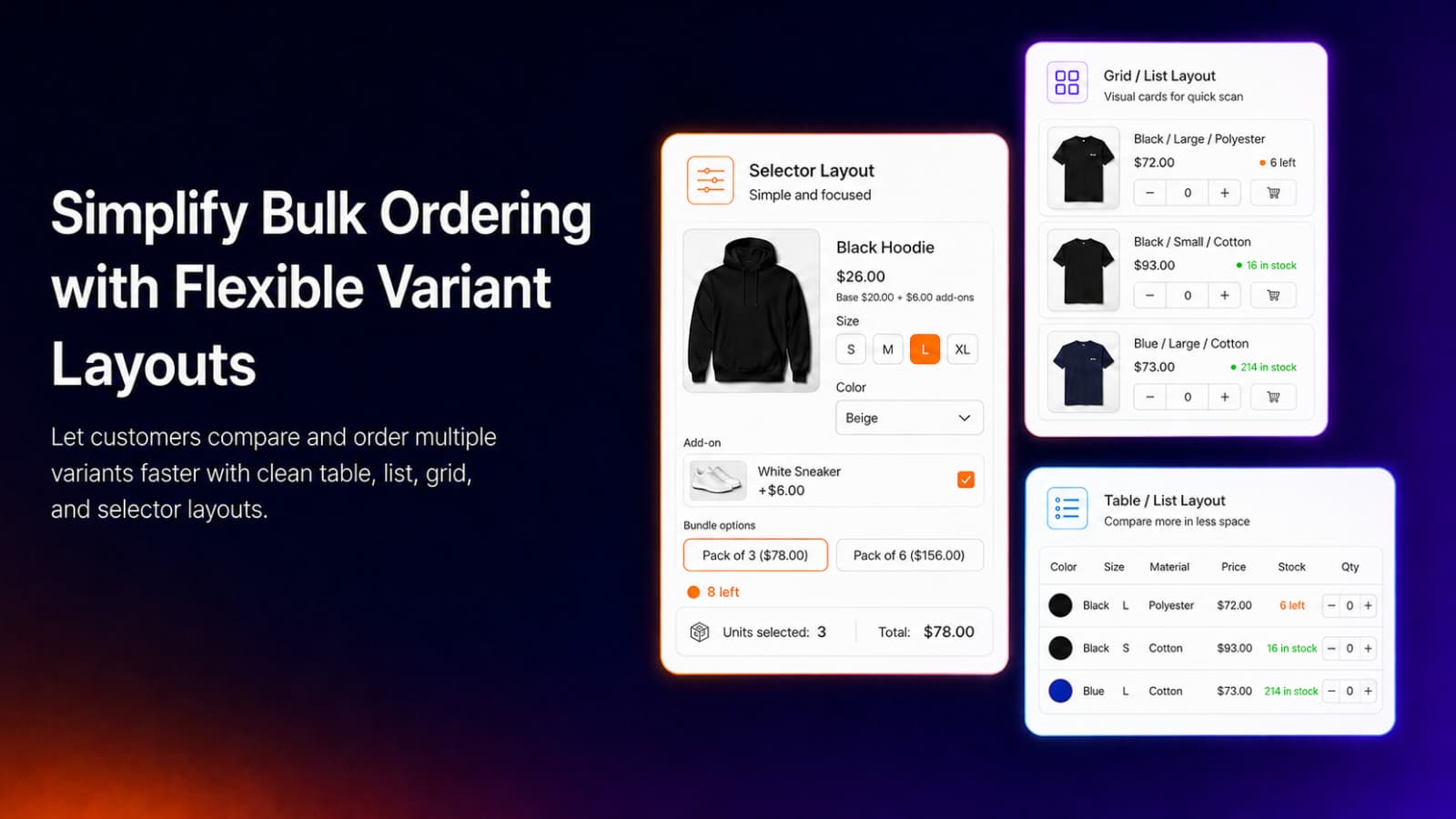
Show every variant in a clean table with price, stock and a quantity field on one screen.

Smart Variant Table
Product variants
Let bulk and B2B buyers order every variant they need from one table.
Smart Variant Table is a Shopify app that shows every product variant in a table, list or grid with price, stock and quantity, so buyers can add many variants to the cart at once. Merchants set quantity rules, bundle packs and volume discounts by customer tag, add direct checkout and track revenue and top sellers.
Smart Variant Table covers how variants are displayed, the details buyers see, the quantity rules for bulk orders, pricing and checkout, and the analytics behind it. Each feature lists the lowest plan that includes it.
Replace the variant dropdown with a layout buyers can scan at a glance.
Show every variant in a clean table with price, stock and a quantity field on one screen.
Switch between a table, a vertical list and a grid layout to suit each product.
Pick from six ready-made table designs, from the classic black preset to fully styled tables.
Show options as rectangular, circular or square swatches, a list or a dropdown.
Show option names such as Color and Size, and variant icons like color swatches.
Add a title and an instruction line above the table, each with its own show or hide toggle.
Give buyers every detail they need to order with confidence.
Show each variant's price, stock status and compare-at price to highlight savings.
Show the running total price and total units of everything selected, at the top or bottom.
Add columns such as SKU, vendor, weight, barcode or tags pulled live from Shopify data.
Collect engraving or personalization text from buyers and save it with the order.
Show an out-of-stock badge, disable unavailable variants or hide them from the table.
Upload your own PNG, JPG, GIF or WEBP image to show when a variant is unavailable.
Make sure every bulk order matches how you actually sell.
Set the least and most units a buyer can order under each rule.
Require a minimum number of variants per order and cap the maximum.
Sell in fixed steps, such as multiples of 2 or 6, to enforce case and pack sizes.
Offer named packs like Single, Family or Party Pack, each with its own unit multiplier.
Restrict quantities per variant for tighter control over stock and allocation.
Help buyers find the right variant fast with browse and search modes in the table.
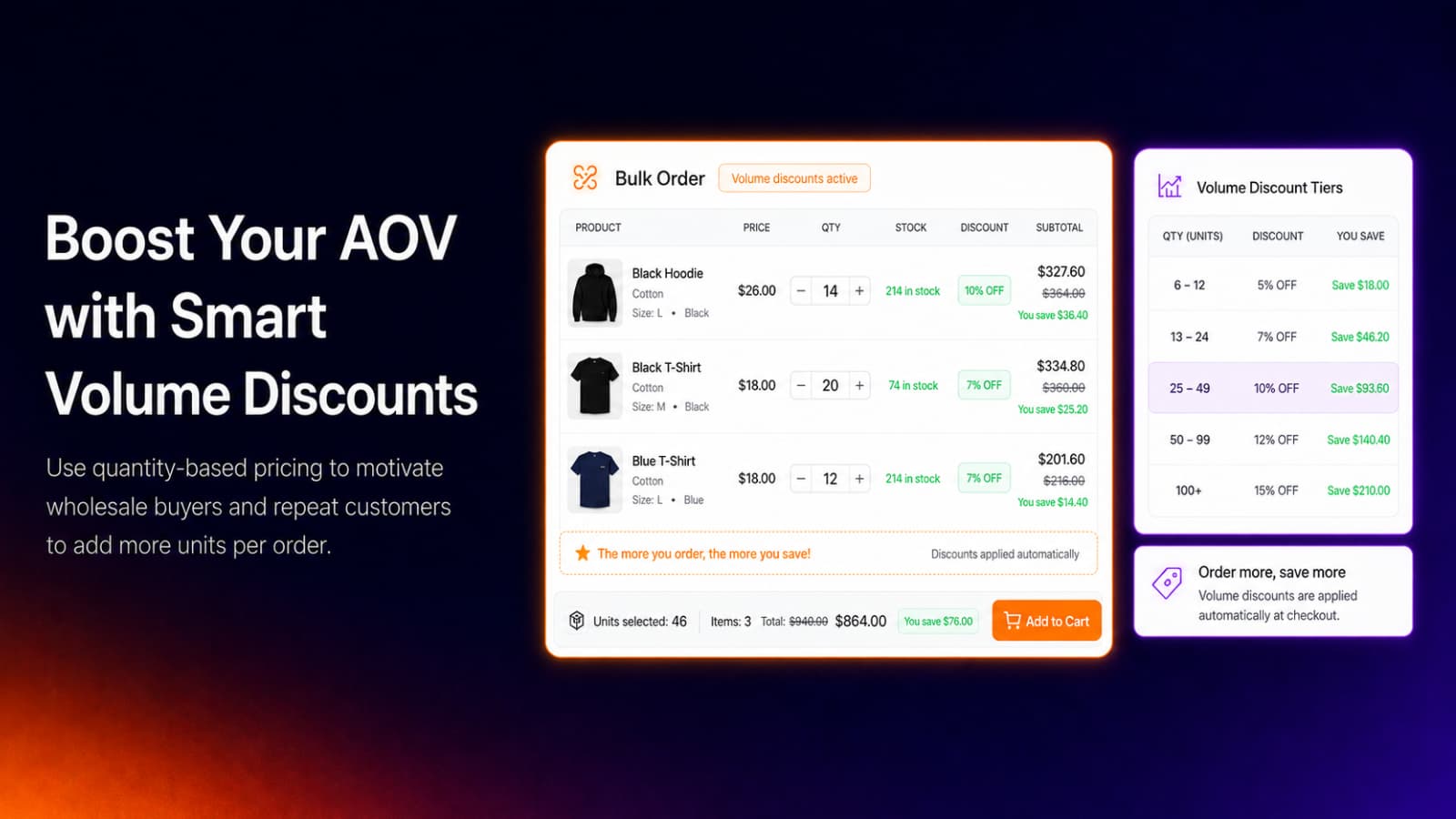
Reward bigger orders and shorten the path to checkout.
Give quantity-based discounts to customers with selected tags, such as wholesale buyers.
Set tiered bundle discounts by customer tag so B2B buyers save more as they order more.
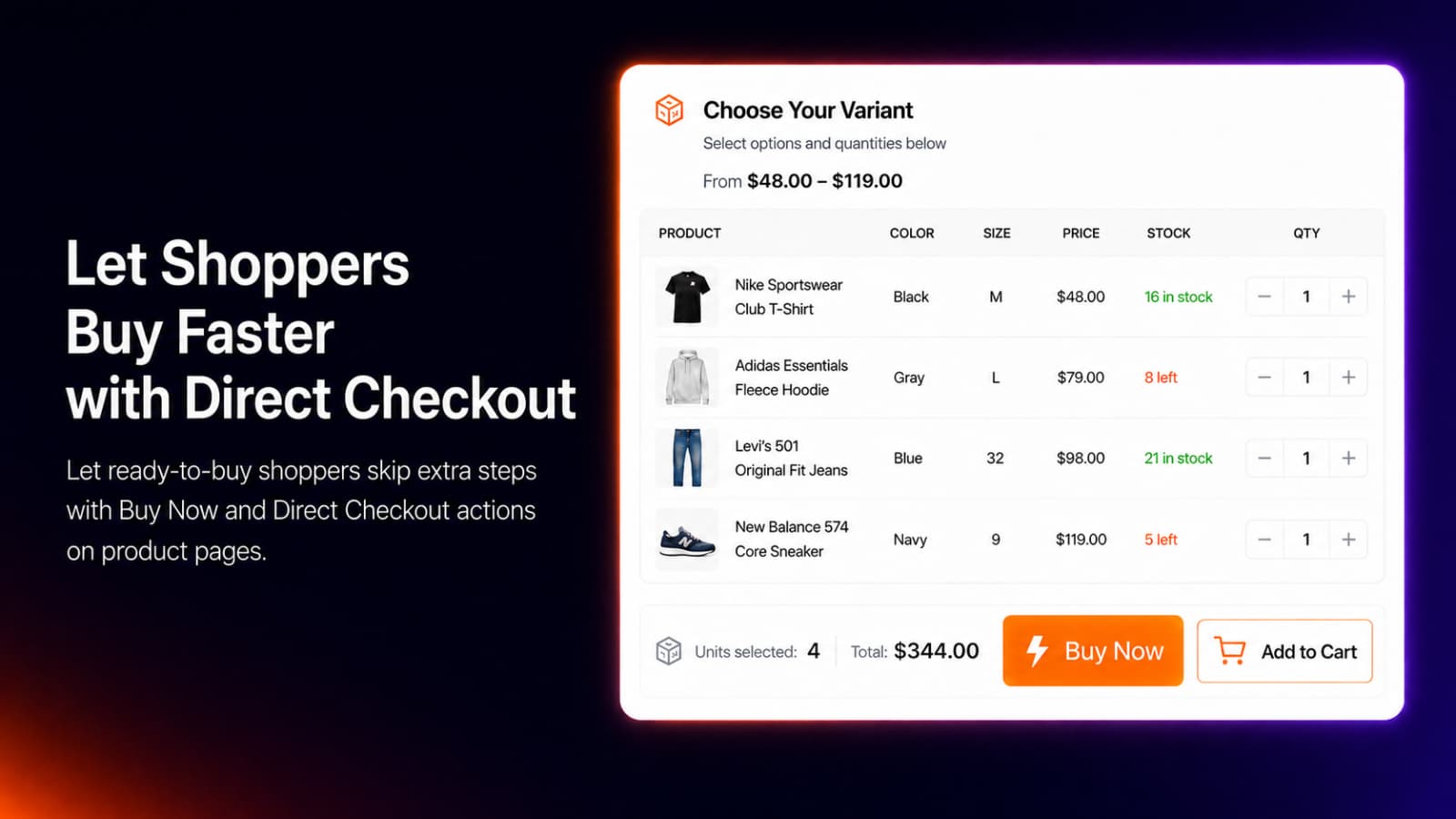
Add a checkout button so buyers skip the cart and go straight to checkout.
Keep an Add to Cart bar visible as buyers scroll long variant tables.
Send buyers to the cart page or refresh the product page after they add items.
Rename the Add to Cart and Checkout buttons, for example to Add Items or Buy Now.
Control exactly which products use which table.
Start with one rule on Free, five on Standard and unlimited rules on Pro.
Apply a rule to all products, a product type, a collection, a tag or specific products.
Let buyers filter and sort variants to find what they need in large tables.
Make the table look native to your theme and see what bulk buyers buy.
Set your own colors and shapes so the table reads like part of your theme.
Style each embed separately so different tables can match different parts of your store.
Track revenue, top-selling variants and trends from the table in a built-in dashboard.
No code and no developer. These are the same steps the in-app setup guide walks you through.
Add Smart Variant Table from the Shopify App Store. A free plan is available.
Upgrade any time
Click Enable App Embed, switch it on in the Theme Editor and save.
One step setup
Name the rule, choose settings, restrictions and variant display, then save.
Tables appear on matching products
Start free and upgrade when you need more.
| Feature | FreeFree | Standard$19/ month | Pro$36.99 / month |
|---|---|---|---|
| Variant table layout | |||
| Total units per variant | |||
| Display rules | |||
| Table, list & grid modes | — | ||
| 6 display presets & swatches | — | ||
| Min/max quantity & variant limits | — | ||
| Bundle pack options | — | ||
| Direct checkout & sticky Add to Cart | — | ||
| Out-of-stock disable & hide | — | ||
| Filters & sort | — | ||
| Unlimited rules & bundle lists | — | — | |
| Variant finder | — | — | |
| Volume & tiered discounts by customer tag | — | — | |
| Custom colors, shapes & per-embed scope | — | — | |
| Revenue, top seller & trend analytics | — | — |
Full plan details are on the Smart Variant Table pricing section.
It includes variant tables, list and grid layouts, swatches, custom attributes, min and max quantities and variants, interval and bundle quantities, volume and tiered discounts by customer tag, direct checkout, sticky Add to Cart, a variant finder and sales analytics.
Yes. Buyers set quantities for as many variants as they need in the table and add them all to the cart together.
Yes. From the Standard plan, set minimum and maximum quantities and variants per rule, sell in fixed intervals or offer bundle packs.
Yes. On the Pro plan, set volume and tiered bundle discounts for customers with selected tags.
Yes. The free plan includes one display rule, the variant table layout, total units per variant and the classic preset.
Install free from the Shopify App Store. No code, no credit card.
 Offer Your Price features
 Age Gate Popups & Disclaimer features
 Donate Now features
 Spin Wheel features
 Fontly features
 myCred Loyalty Points features
 Smart Product Wishlist features
 B2B Request Quote features
 Zyga Bundles features