


Default Campaign on Install
A ready campaign is created when you install, so you can edit it and go live in minutes.

Spin Wheel
Pop-ups · Discounts
Turn visitors into subscribers and buyers with a spin-to-win game they actually enjoy.
Spin Wheel Email Popup is a Shopify gamification app that shows a spin-to-win wheel in a popup or side slider and collects emails before each spin. Merchants set up to 40 reward slices with their own win probability, trigger the wheel on exit intent, send win and lose emails, and track every spin in the logs.
Spin Wheel covers the whole game: the campaign, the rewards and their odds, where the wheel appears, how it looks and the emails that follow. Every plan includes every feature.
Run spin wheel campaigns that start, stop and repeat on your terms.
A ready campaign is created when you install, so you can edit it and go live in minutes.
Create new campaigns for different seasons or offers and manage them all from the dashboard.
Switch a campaign between Live and Draft to publish it or keep it hidden while you work.
Set a start and end date, or leave scheduling off to run the campaign continuously.
Choose when visitors can spin again: instantly, or after 6 hours up to 7 days.
See and edit every campaign from one table, with quick actions for each one.
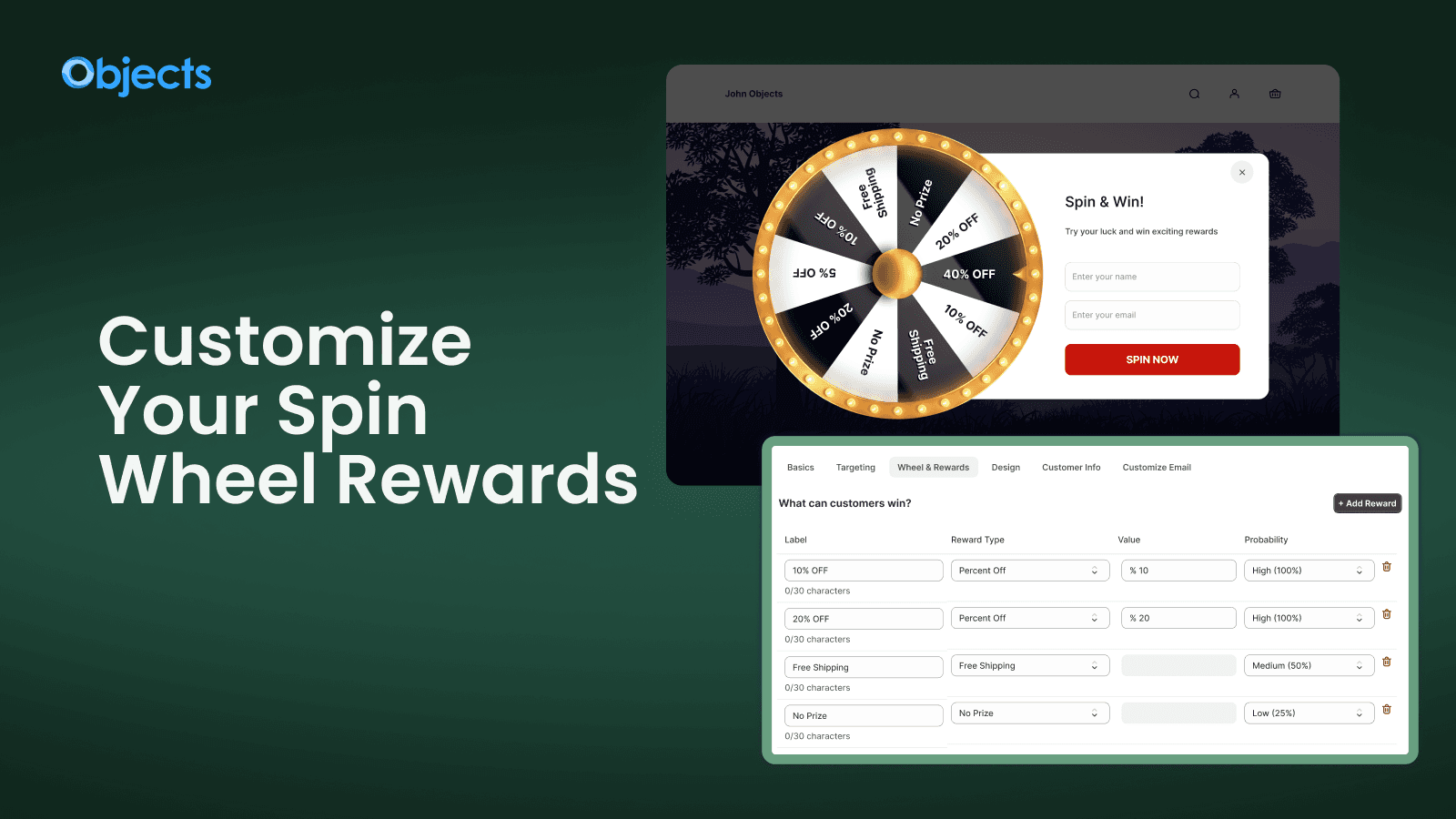
Decide what customers can win and how likely each prize is.
Build a wheel with as many as 40 slices, from a minimum of two, each with its own label.
Give a percentage off or a fixed amount off, with the value you choose for each slice.
Make free shipping a prize to tip hesitant shoppers into placing their first order.
Add Try Again and One More Spin slices to keep the game fun and the odds in your favor.
Set each slice's chance from Very High to None, so big prizes stay rare and costs stay predictable.
Drag slices into the order you want to control how the rewards are arranged on the wheel.
Show the wheel to the right visitors on the right pages.
Show the wheel on all pages, on selected products or collections, or on a custom URL.
Open the wheel as visitors move to leave, turning a lost visit into a captured email.
Show the wheel to every visitor or only to logged-in customers.
Make the wheel look like your brand, from colors to every line of text.
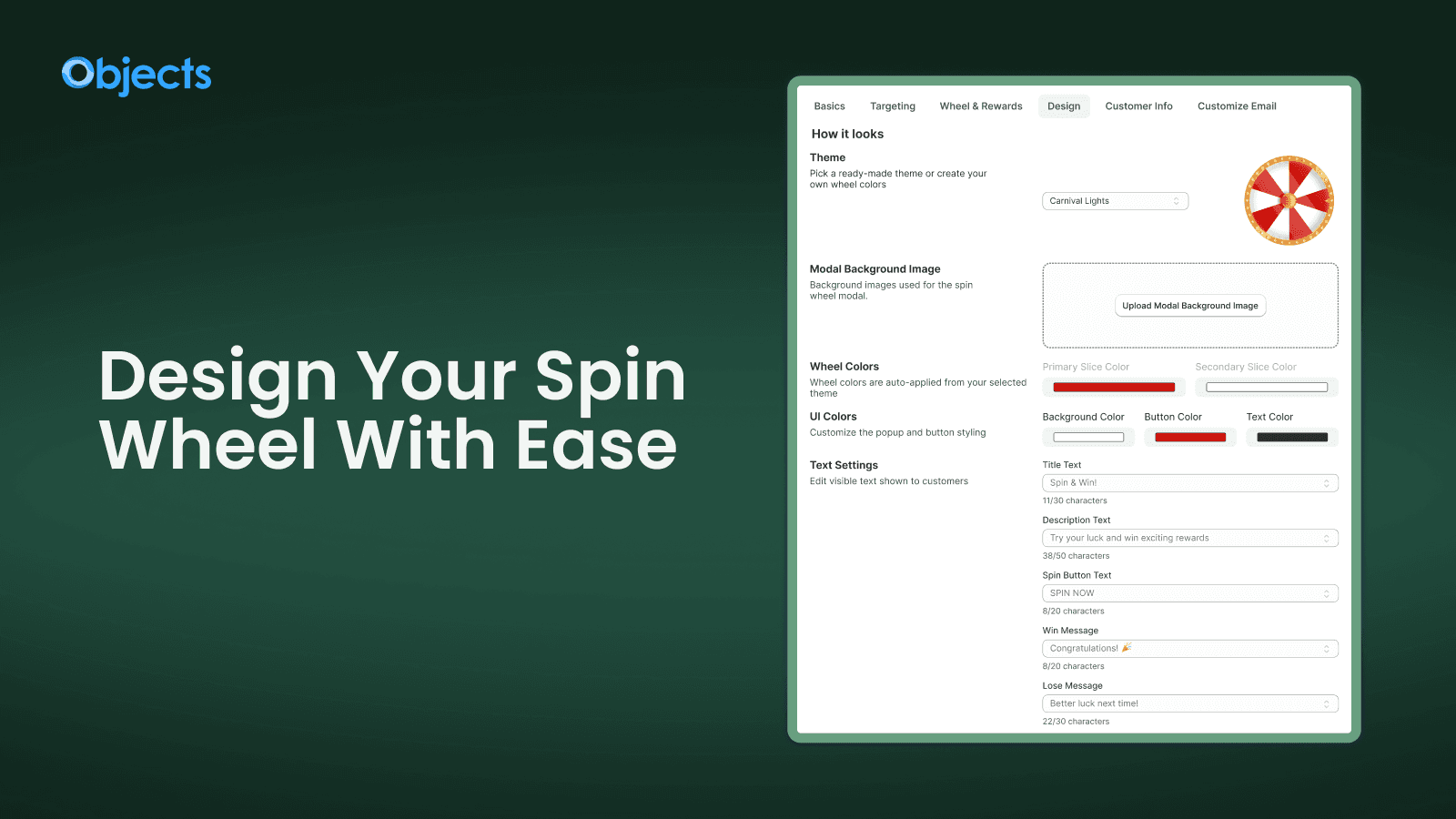
Start from Purple Charm, Dark Knight, Sweet Spin, Golden Radiance and more, or build a custom theme.
Show the wheel as a centered popup or as a slider panel from the side of the screen.
Change the primary and secondary slice colors that the theme applies automatically.
Set the popup background, spin button and text colors to match your storefront.
Upload your own image to sit behind the wheel for a fully branded popup.
Edit the title, description, spin button, win message and lose message customers see.
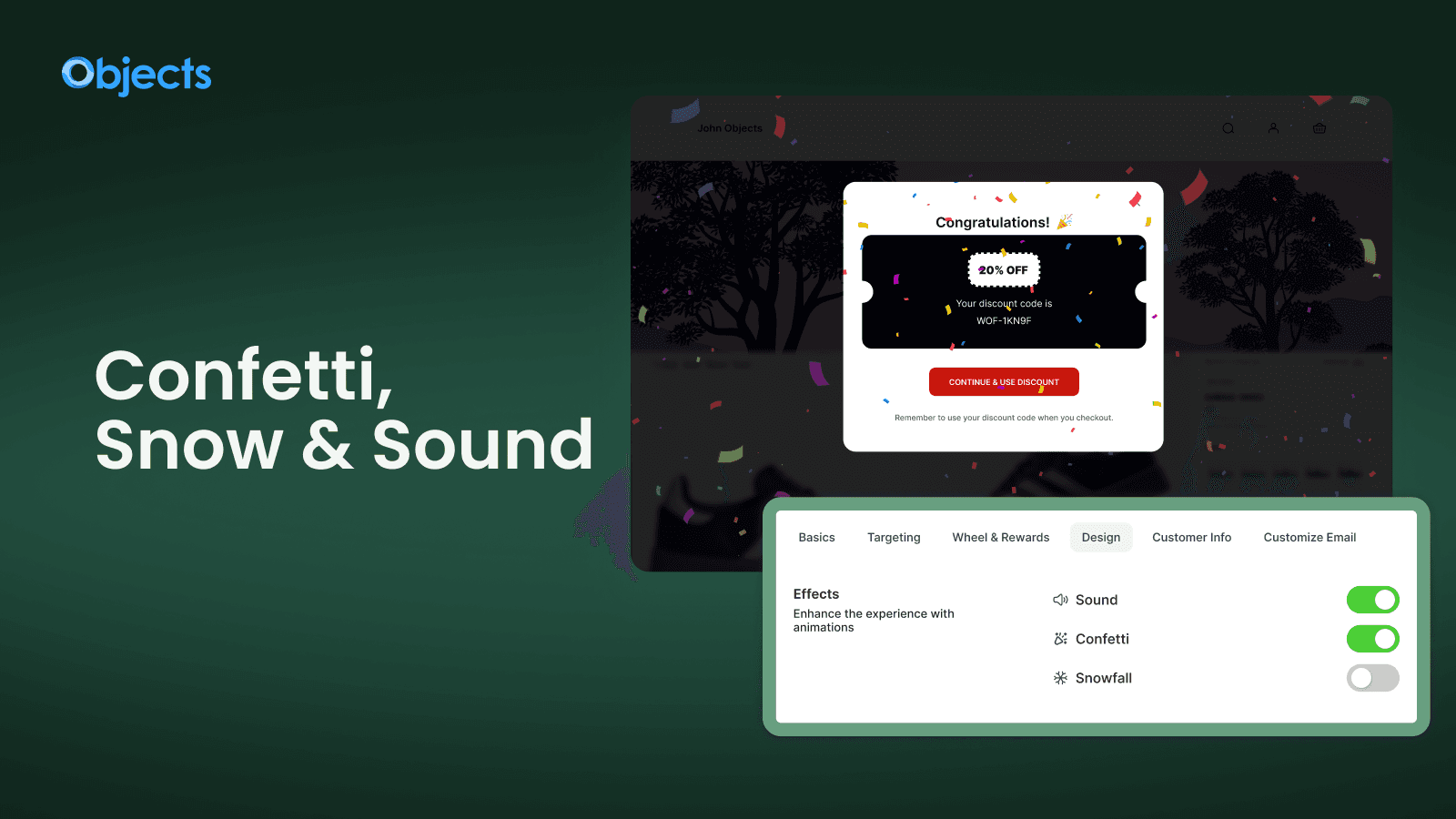
Small moments of delight that make the spin feel like a real game.
Play a sound while the wheel turns to build anticipation before the result.
Celebrate every win with a burst of confetti across the popup.
Add falling snow for a seasonal touch during winter and holiday campaigns.
Collect contact details before the spin and follow up after it.
Ask for the customer's name and email before they spin to grow your list with every play.
Add a consent checkbox so subscribers clearly agree to receive your marketing.
Send branded win and lose emails with your own subject and message to bring shoppers back.
See every spin, every prize and every captured customer.
Review each spin result with its date, customer, campaign and IP address in one table.
Find spins by date, customer, campaign, IP address or result in seconds.
Export all spin data for reporting or to import captured emails elsewhere.
No code and no developer. These are the same steps the in-app setup guide walks you through.
Add Spin Wheel from the Shopify App Store and choose a plan by monthly impressions.
7-day free trial on every plan
Click Enable App Embed, switch it on in the Theme Editor and save.
The wheel can now appear
Open the default campaign, set rewards, targeting, design and emails, then set it Live.
Spins start recording right away
Every plan includes every feature. Plans differ only by monthly impressions: up to 1,500, up to 6,000, or unlimited.
Full plan details are on the Spin Wheel pricing section.
It includes spin-to-win popups and side sliders, up to 40 reward slices with win probability, percent off, fixed amount off and free shipping rewards, exit-intent and page targeting, 8 wheel themes, sound, confetti and snow effects, win and lose emails, and spin logs.
Yes. Every slice has its own probability, from Very High to None, so you decide how often each prize comes up.
Yes. Ask for name and email, with an optional consent checkbox, before the customer spins.
You decide. Set a spin cooldown from instant up to 7 days, or add One More Spin slices to the wheel.
Every plan includes every feature. Plans only differ by monthly impressions: up to 1,500, up to 6,000, or unlimited.
Install from the Shopify App Store and try it free. No code required.
 Smart Variant Table features
 Offer Your Price features
 Age Gate Popups & Disclaimer features
 Donate Now features
 Fontly features
 myCred Loyalty Points features
 Smart Product Wishlist features
 B2B Request Quote features
 Zyga Bundles features