


Shopify Donate Button: Add One in 5 Minutes (3 Easiest Methods)

Shopify doesn't include a dedicated donate button. You can add one in three ways:
Create a donation product. Free, but limited to fixed amounts.
Embed a form from a donation platform. Donors pay outside your Shopify checkout.
Install a donation app like Donate Now. It adds a no-code donate button or widget with preset and custom amounts. The donation stays in your normal Shopify checkout, and it also works at Shopify POS.
For most stores, the app is the fastest option. It goes live in about 4 minutes.
Whether you're a nonprofit selling merch, a brand running a cause campaign, or a local shop collecting for a community drive, the right Shopify donate button depends on three things:
Whether donors can choose their own amount
Whether they stay on your store
Whether you also collect donations in person.
This guide compares all three methods side by side, walks through each setup, and shows where to place your donation button so people actually click it.
3 Ways to Add a Donate Button to Shopify (Compared)
Feature | Donation product | Embedded external form | Donate Now app |
|---|---|---|---|
Cost | Free | Platform fees vary by provider | From $3.99/month, flat. No cut of donations. |
Custom amounts | Fixed variants only ($10, $25…) | Yes | Preset + custom amount |
Donor stays on your store | Yes | Often redirected or in a separate payment flow | Yes |
Uses Shopify checkout | Yes | No, separate processor | Yes, one clean line item |
Donate at checkout / round-up | No | No | Yes (Pro plan and up) |
Shopify POS (in-store) | Manual only | No | Yes (Business plan) |
Thank-you emails | No | Handled by the platform | Automatic |
Goal tracking/donor wall | No | On the platform's page, not your store | Live progress bar + donor wall |
Donors can cover processing fees | No | Depends on platform | Yes, on all plans |
Setup time | 10–15 min | 15–30 min | ~4 min, no code |
How to Choose the Right Method to Add a Donation Button in Shopify
Method 1 works if you need one fixed donation amount and nothing else.
Method 2 suits organizations that already run all fundraising on an external platform and treat Shopify as a secondary site.
Method 3 is for anyone who wants donations to live inside the Shopify store and checkout they already use. That includes the counter.
Method 1: Create a Donation Product
This is the free, built-in workaround. You create a "product" that is really a donation.
How to Set It Up
In your Shopify admin, go to Products > Add product.
Title it clearly, for example, Donate to the [Your Cause] Fund. Add an image and a short impact description.
Under Variants, add an option called Amount with values such as $10, $25, $50, and $100. Set each variant's price to match.
Uncheck Charge tax on this product.
Under Shipping, turn off This is a physical product so donors aren't charged shipping.
Under Inventory, uncheck Track quantity so the donation never "sells out."
Save, then link the product from your menu, homepage, or footer.
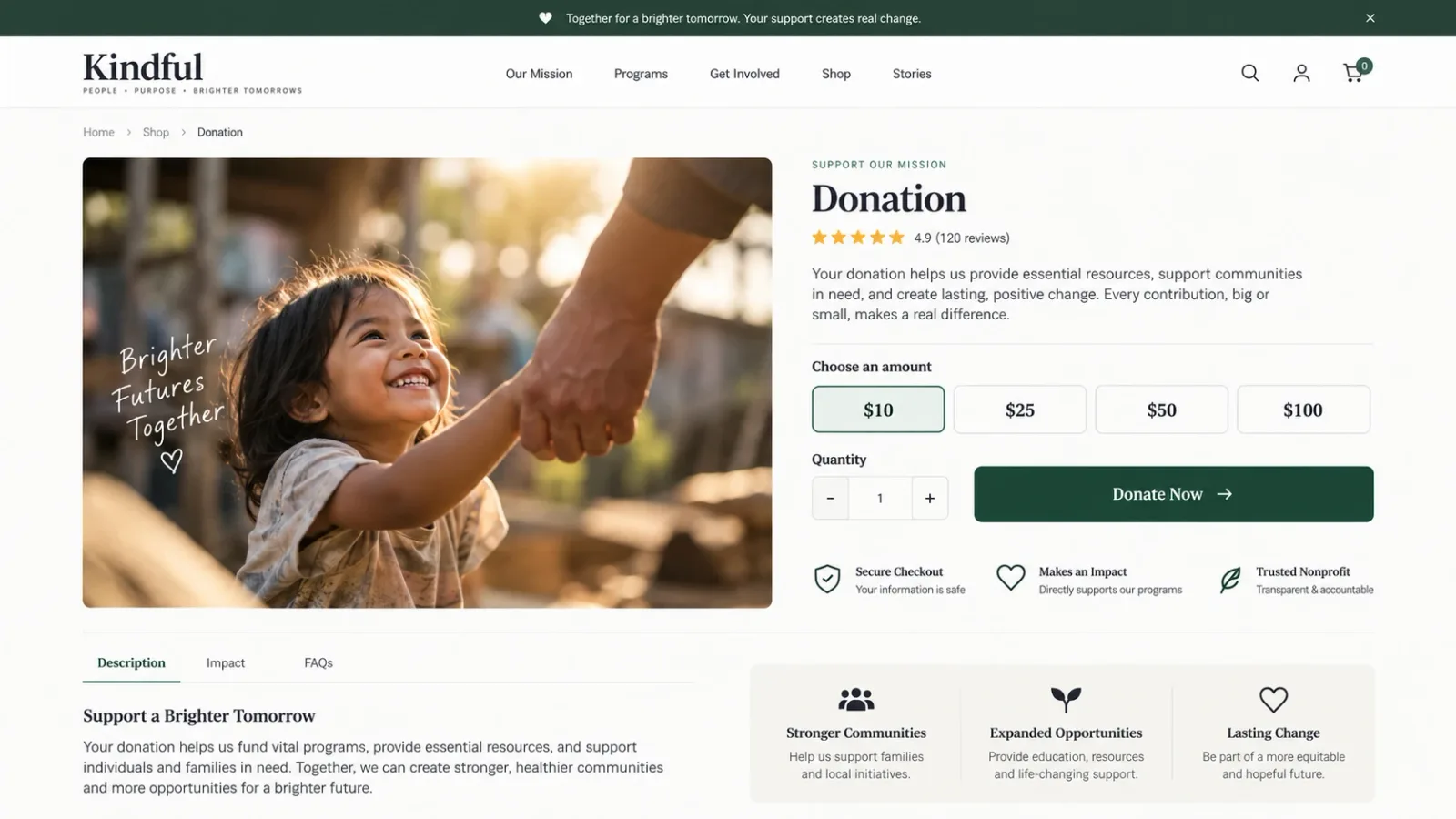
Where Creating a Physical-Like Donation Product in Shopify Falls Short
No custom amount. A donor who wants to give $15 or $500 can't. Every amount has to be a variant you created in advance.
It behaves like a product. It can show up in search results, collections, and "you may also like" blocks.
Discount codes can hit it. A storewide 20% code may reduce the donation unless you exclude that product from every discount.
Easy to misconfigure. Miss the tax or shipping setting, and donors get charged for things that make no sense on a donation.
No round-up, no goal bar, no donor wall, no thank-you flow.
Nothing at the counter. Staff has to find and add the product manually at POS.
Best for: a single, fixed-amount donation with zero budget.
Method 2: Embed a Form from a Donation Platform
Donation platforms such as Donorbox, PayPal, or Givebutter let you design a form and paste its embed code into Shopify.
How to Set Up an Embedded Form
Create a campaign and donation form in your donation platform's dashboard.
Copy the form's embed code (HTML).
In Shopify, go to Online Store > Pages and open (or create) a page such as Donate.
Click the Show HTML (<>) icon in the editor and paste the code. Alternatively, go to Online Store > Themes > Customize, add a Custom Liquid section, and paste it there.
Save and test the form on desktop and mobile.
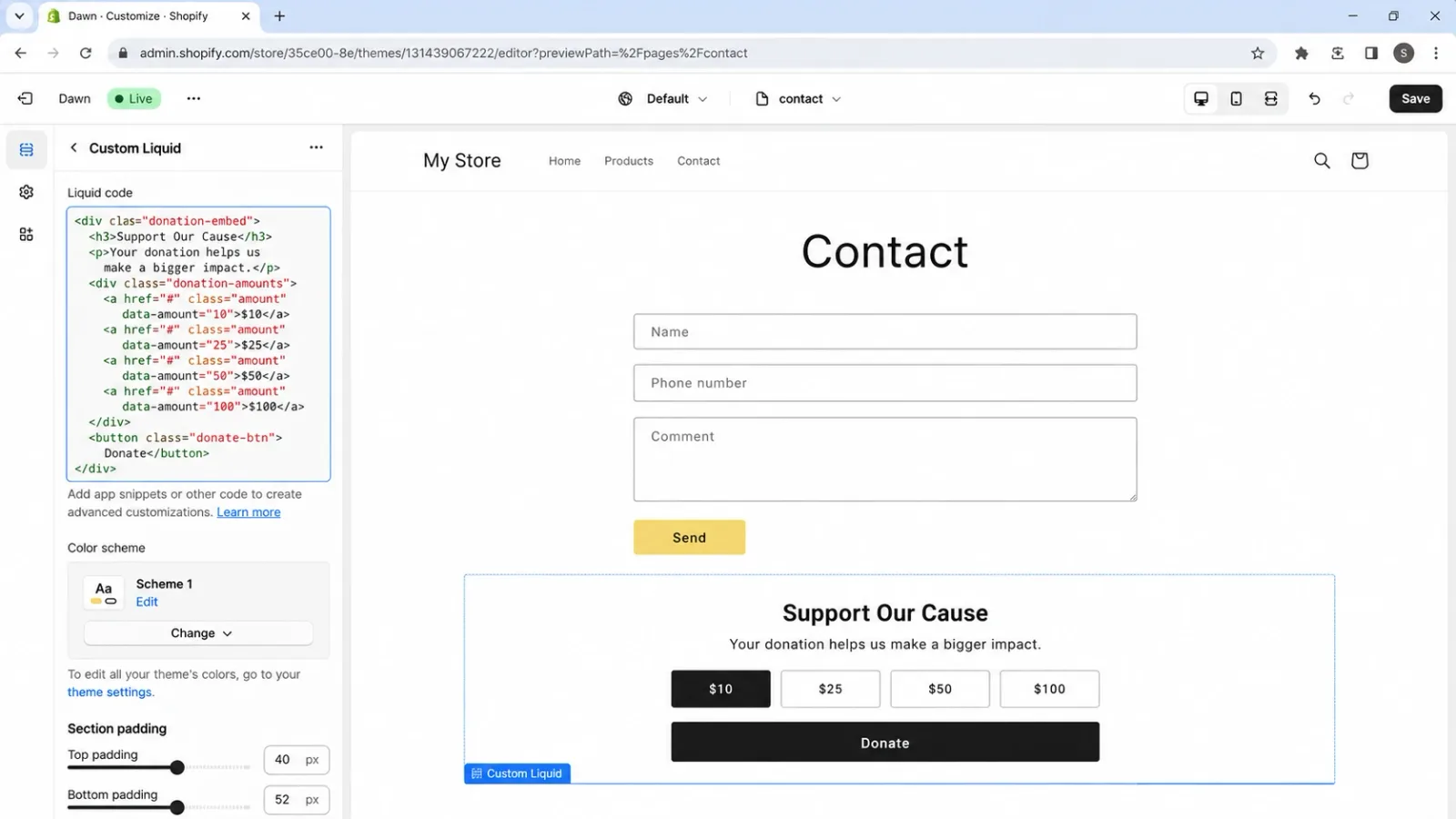
What You Give Up
A second checkout. The payment runs through the platform's processor, not Shopify's checkout. Donors enter card details again, even if they're already buying from you.
Split data. Donors don't become Shopify customers. Your donation records live in one system and your orders in another, which makes reporting and email follow-up harder.
No "add to my order." Shoppers can't add a donation to their cart or round up at checkout. They have to leave the buying flow to give.
Nothing in-store. Embedded forms don't work at your Shopify POS counter.
Theme fragility. Pasted scripts can break or look off-brand after a theme update.
Best for: organizations whose main donation hub is already an external platform.
Method 3: Add a Donate Button with Donate Now for Shopify (Easiest Way Currently)
Donate Now is currently the easiest of the donation apps for Shopify. It adds a native donation button or donation widget to your Shopify store. Donors pick a preset amount or type their own, and the donation goes through your regular Shopify checkout as one clean line item, whatever the amount.
How to Set Up a Donate Button in Shopify with a Fundraising App
Step 1: Install Donate Now
Install Donate Now from the Shopify App Store. Every plan starts with a 7-day free trial.
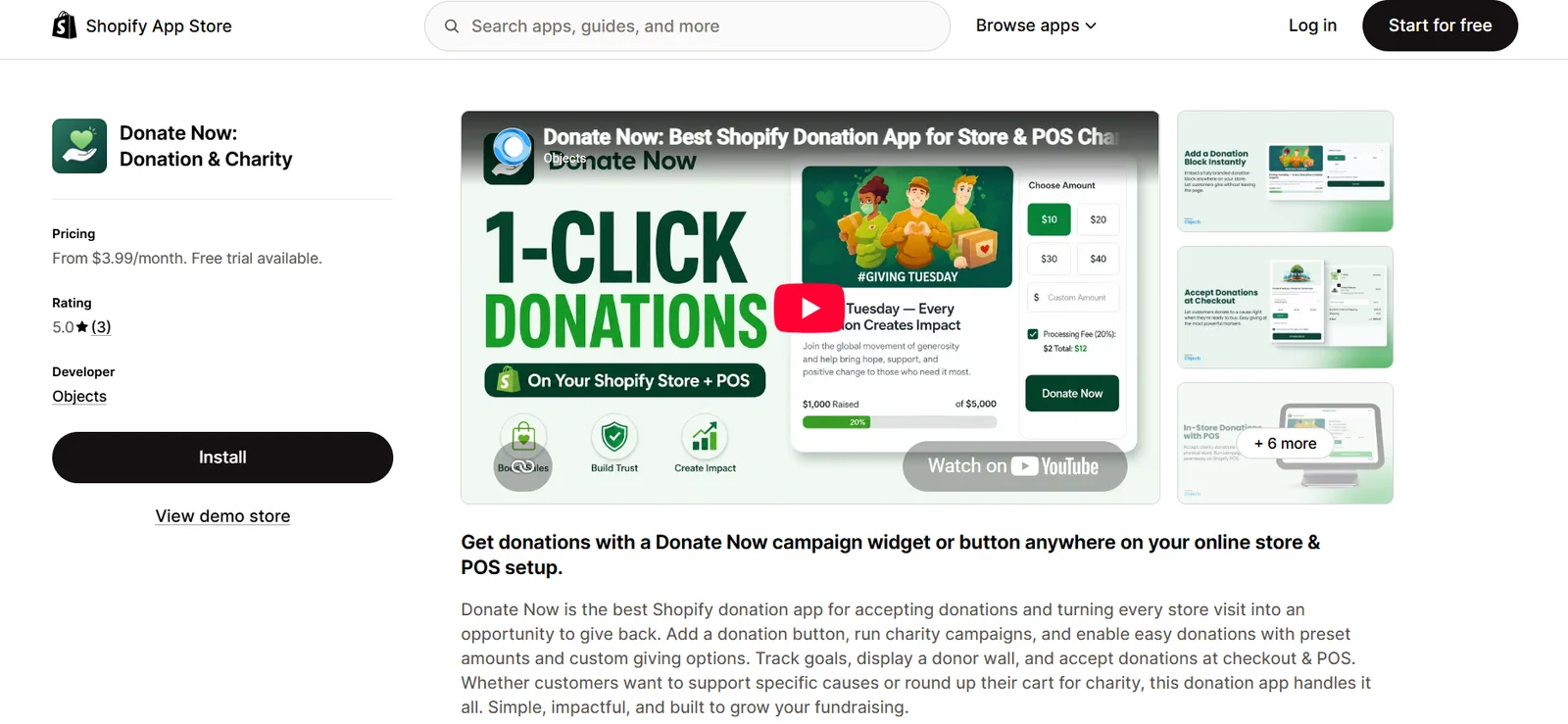
Step 2: Create a Campaign
Create a campaign. Name your cause, upload a banner image, and write a short impact message.
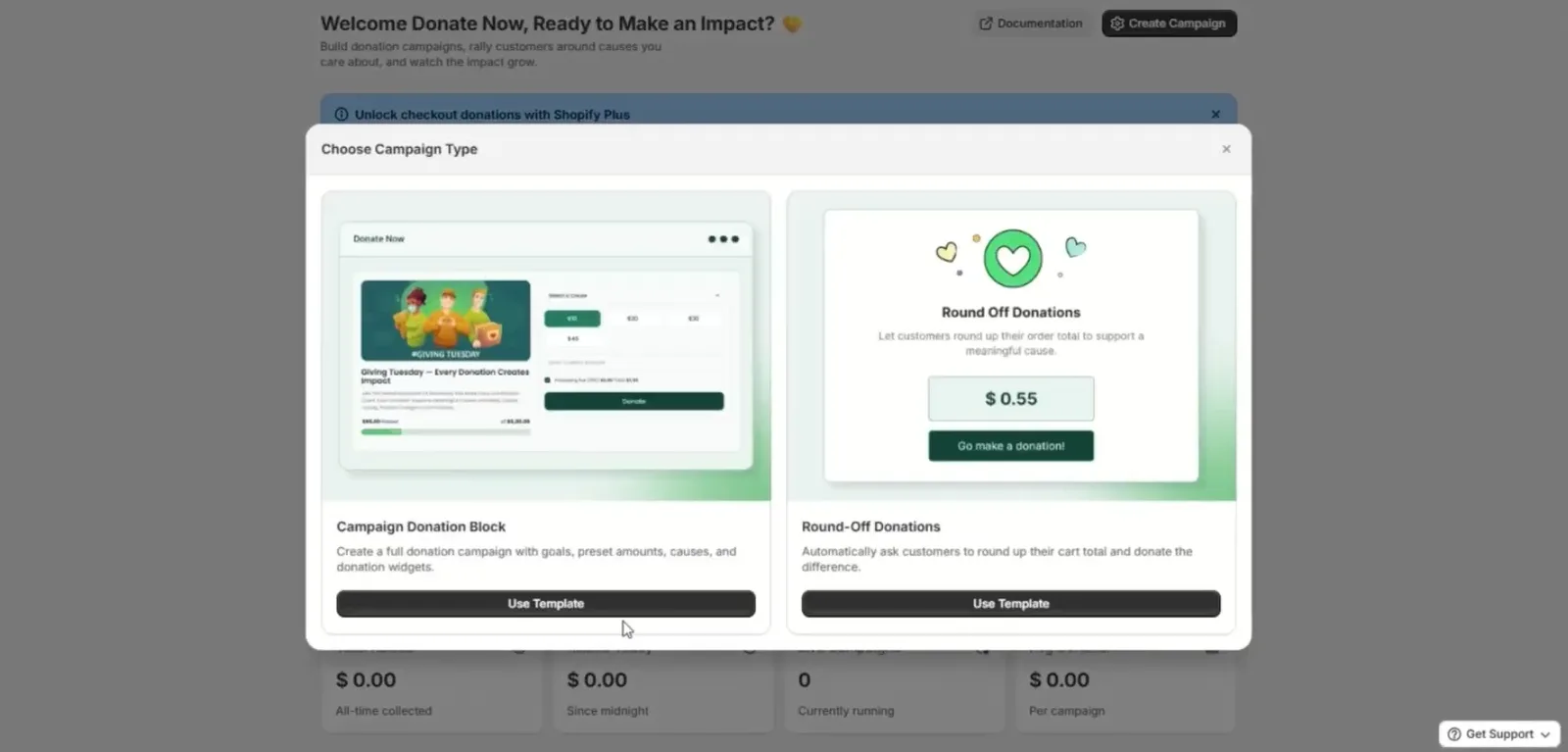
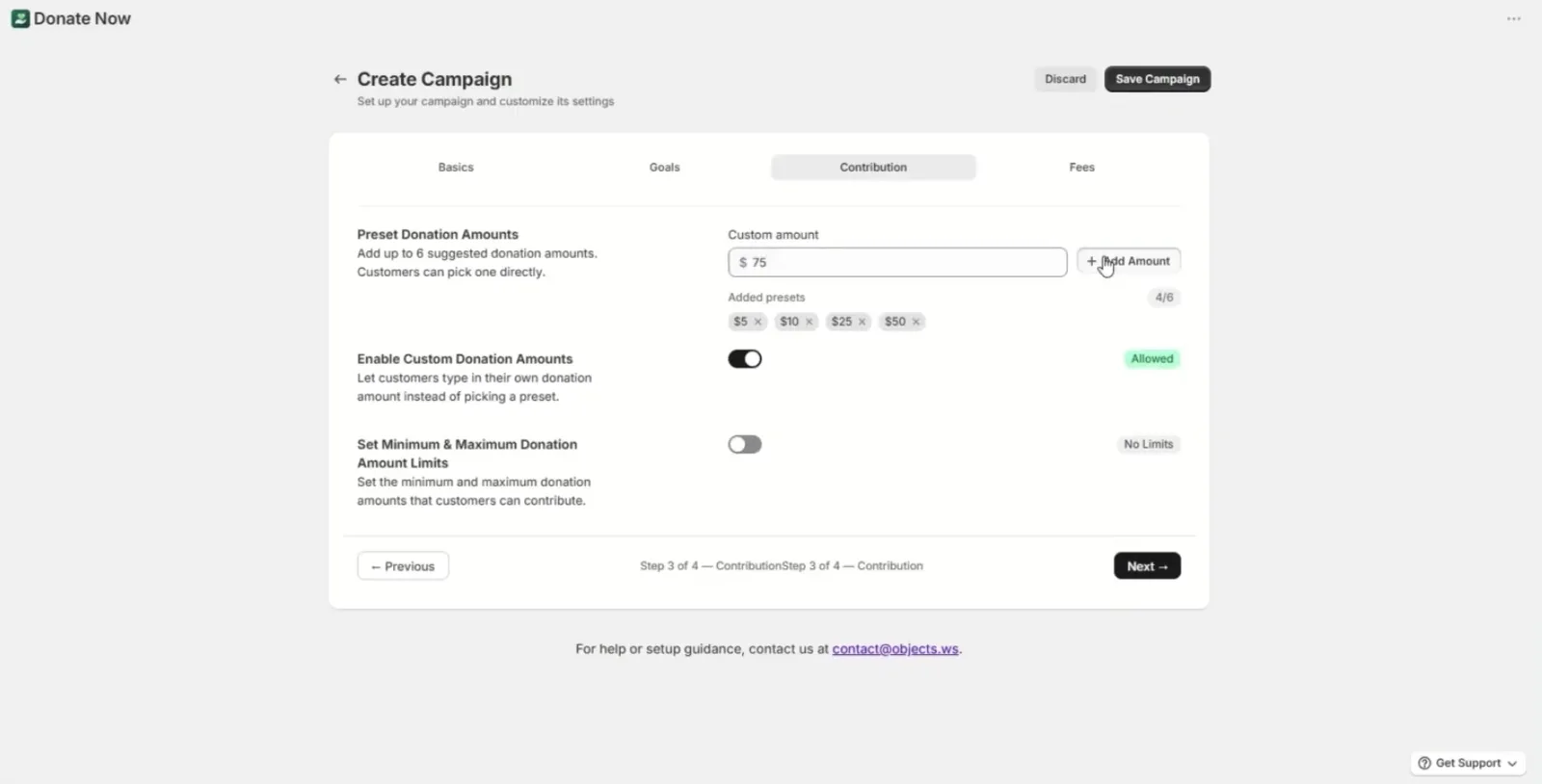
Step 3: Set Your Amounts
Set your amounts. Add preset amounts, turn on a custom amount field, and optionally let donors pick which cause to fund.
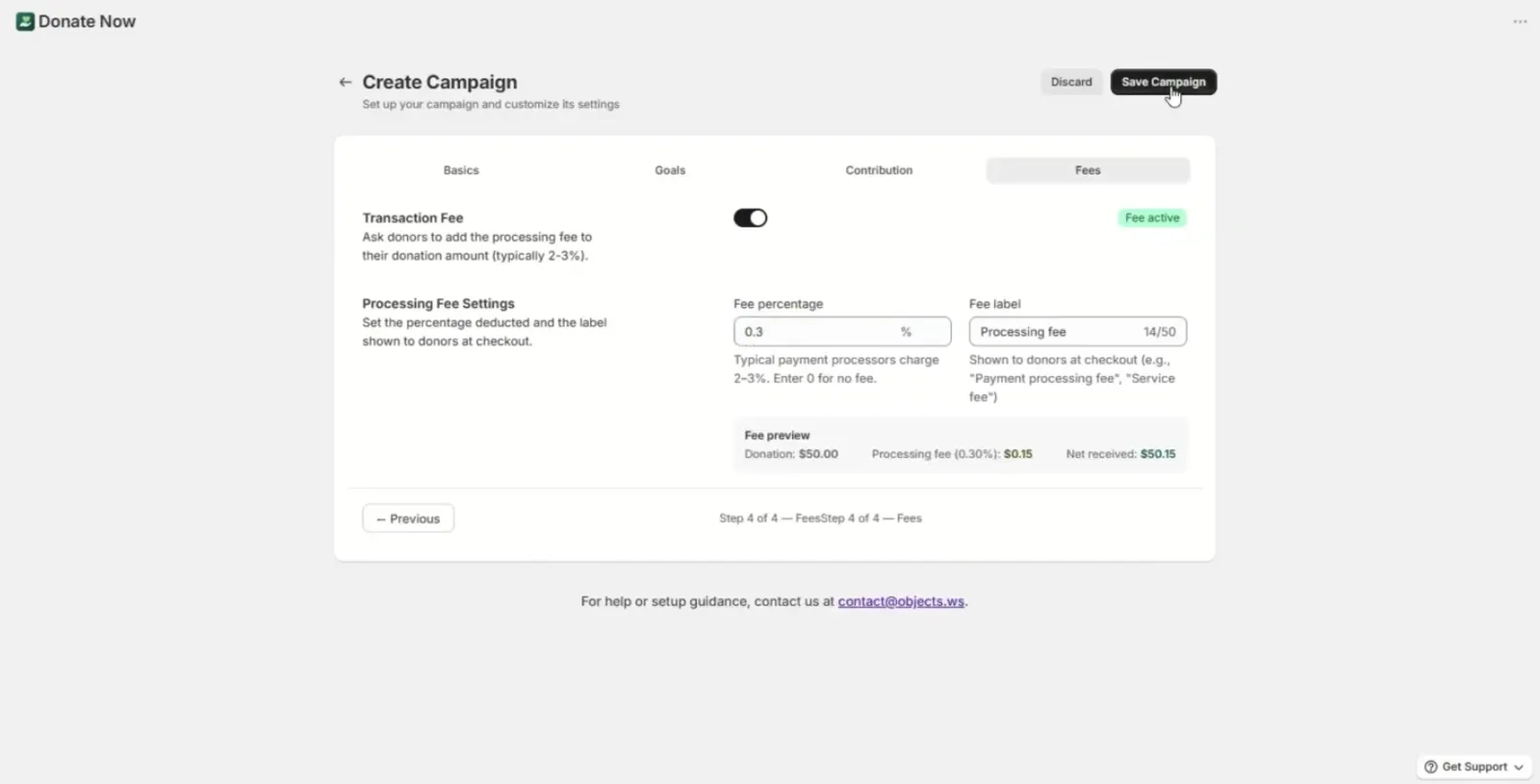
Step 4: Turn on Fee Coverage
Turn on fee coverage so donors can cover payment processing fees and 100% of their intended gift reaches your cause.
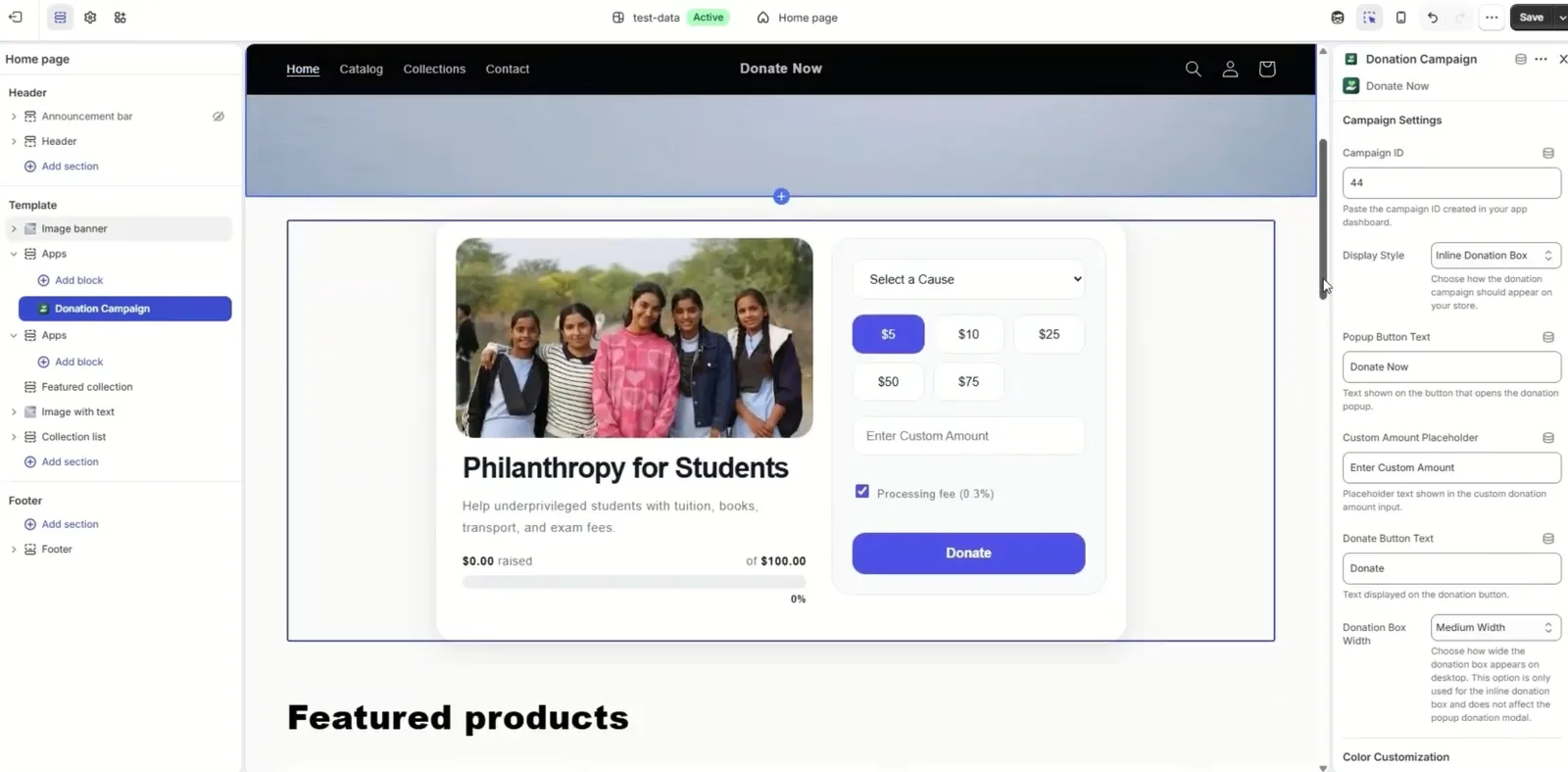
Step 5: Place the Widget
Place the widget. Open Online Store > Themes > Customize and add the Donate Now block wherever you want it. No theme code needed.
Step 6: Go Live
Go live and make a test donation.
Watch the setup in under 4 minutes:
See it live: try the Donate Now demo →
What You Get Beyond the Button
Round-up at checkout: shoppers round their total up and donate the change (Pro plan and up)
Shopify POS donations: run the same campaign at your counter — see our Shopify POS donations guide
Live goal bar + donor wall to show momentum and social proof
Automatic thank-you emails to every donor
Flat pricing from $3.99/month. No percentage taken from donations.
Compare plans and features on the Shopify donation app page →
5 Places to Put Your Donation Button (and What Each One Does)
A donate link in the footer gets almost no attention. Match each placement to a goal:
Placement | Goal it serves | Best format |
|---|---|---|
Homepage | Awareness + campaign launch | Banner widget with goal progress bar |
Product page | Cause-linked purchases | Compact widget below Add to Cart |
Cart | Highest-intent, low-effort giving | Small add-on or round-up prompt |
Checkout | Last-step giving | Round-up or donation block |
Popup | Time-bound campaigns | Campaign popup with deadline |
1. Homepage: Launch the Campaign
Put your campaign banner, story, and a live progress bar above the fold. This is where visitors learn why you're raising money.
2. Product Page: Connect Giving to Buying
A compact donation widget under the Add to Cart button works well for cause-aligned stores, such as a nonprofit's merch or a brand supporting a partner charity.
3. Cart: Catch Buyers with Their Wallet Out
The cart is where shoppers have already decided to pay. A small "Add $5 to support [cause]" prompt or a round-up option asks very little and catches intent at its highest.
4. Checkout: The Final, One-Tap Ask
Checkout round-up lets donors give their spare change without leaving the flow. It's the lowest-effort donation you can offer.
5. Popup: Drive Urgency for Time-Bound Campaigns
For Giving Tuesday, disaster relief, or awareness months, a campaign popup with a clear deadline turns browsers into donors. Keep popups for active campaigns so they don't become background noise.
Pro tip: use one campaign across two or three placements (for example, homepage + cart + checkout) rather than all five at once. Repetition builds momentum. Overload creates fatigue.
Best Shopify Donation Button Copy & Preset Amounts That Convert
A simple donation experience beats a clever one. Donors decide in seconds, so every word on your donation button should reduce hesitation.
Write Impact-Based Labels, Not Generic Ones
Generic | Impact-based |
|---|---|
Donate | Give $10: Fund one school kit |
Support us | Add $5 to feed a rescue dog for a week |
Contribute | Round up to plant trees in [City] |
Click here to give | Help us reach $5,000 by Dec 1 |
Only use impact numbers you can back up with your organization's real costs.
Set Preset Amounts That Guide, Not Pressure
Use 3–4 presets plus a custom field. For example: $5 · $10 · $25 · Custom.
Pre-select the middle option. Many donors accept a reasonable default rather than calculating their own amount.
Match presets to context. Cart and checkout asks should be small ($1–$5 or round-up). Homepage and campaign asks can be larger ($10–$100).
Always keep a custom amount. Your most generous donors shouldn't be capped by your presets.
Keep the Donation Flow Simple
Put one clear call to action on each widget.
Show a progress bar or a supporter count so the gift feels part of something.
Offer "cover the processing fee" as an optional checkbox, not a hurdle.
Say thank you immediately. Automatic thank-you emails do this for you.
FAQ
Does Shopify have a built-in donate button?
No. Shopify has no dedicated donation button. You can relabel checkout tips, but tips are tied to a purchase and presented as a tip at checkout, not a standalone donation. For a real donate button with preset and custom amounts, use a donation product (fixed amounts only) or a donation app.
Can donors enter a custom donation amount on Shopify?
Not with a standard donation product. Variants only allow amounts you've set in advance. Donate Now lets donors choose a preset amount or type any custom amount, and it still adds just one line item to the cart.
Will a donation button work in my cart drawer?
It depends on your theme and the method. Donation products appear wherever normal products do. Embedded forms usually can't live in a cart drawer. Donate Now supports cart placement through the theme editor.
Will a donation widget slow down my store?
Heavy third-party scripts and embedded forms can add load time. Donate Now is added as a native theme block through the theme editor rather than pasted code, which keeps it lightweight.
Are donations charged tax or shipping?
They shouldn't be. With a donation product, you must switch off tax and shipping manually. Donation apps handle this for you. Check local rules with your accountant.
Can donors cover the payment processing fee?
Yes, with Donate Now on every plan. Donors can opt in to cover the fee so the full intended amount reaches your cause.
Are donations made through Shopify tax-deductible?
That depends on who receives them. Gifts to a registered charity (such as a US 501(c)(3)) may be deductible for the donor. Money collected by a for-profit store for a cause usually isn't. Confirm your situation with a tax professional.
Can I collect donations in my physical store too?
Yes. On the Business plan, Donate Now runs your campaigns on Shopify POS, including round-up at the counter. See our Shopify POS donations guide.
Article by
Muhammad JafferShopify & WooCommerce Expert
Muhammad Jaffer is a WooCommerce and Shopify expert with 7+ years in eCommerce development, SEO, and content. He builds conversion-focused storefront solutions and writes practical guides that help merchants turn traffic into revenue.
View all articlesDonate Now
Add Donate Now to your Shopify store
The best Shopify donation app for charity campaigns, checkout round-ups, and a donor wall. Donate Now works online and at Shopify POS.
There’s More to Read
More practical guides from the Objects team.
 Guides
How to Prepare Your Shopify Store for Giving Tuesday 2026 (Online & POS)
Giving Tuesday brought in 4 billion dollars last year. Here's how to get your Shopify store's donation setup ready before December 1st, 2026.
by Muhammad Jaffer · September 20, 2026
 Guides
How to Accept Donations on Shopify in 2026 (In-store & Shopify POS)
Set up Shopify donations online and at the counter — no developer needed. A clear path from installing a donation app to running your first in-store fundraising campaign.
by Muhammad Jaffer · August 28, 2026