


How to Prepare Your Shopify Store for Giving Tuesday 2026 (Online & POS)

Giving Tuesday started in 2012 as a simple idea. After Black Friday and Cyber Monday, one day would be set aside for giving instead of spending. It has since grown into one of the biggest days for giving and spreading generosity in the world.
Giving Tuesday falls on December 1st this year. Last year, shoppers in the US gave 4 billion dollars in a single day, 13 percent more than in 2024.
Nonprofits also see close to 30 percent of their yearly donations arrive in December alone. About 10 percent of that lands in the final three days of the year.
For a Shopify store, this is not just a nonprofit trend. It is a shopping day where customers are already in a giving mindset. And it’s a day you can put your Shopify Donation or charity-collecting app to the test and optimize checkout that can meet the mindset of donors.
Why Your Shopify Store Needs a Giving Tuesday Plan Now
Most store owners wait until November to think about Giving Tuesday. By then, it is already harder to get ready. Here is what waiting actually costs you, and why starting early works better.
Ad costs climb fast once November hits, making it costlier to promote your campaign
Inboxes get flooded with holiday emails, so your message gets buried
A new campaign page takes time to get indexed, so launching late means Google barely knows it exists by the time shoppers start searching
A rushed donation widget rarely gets tested properly before it goes live
Buyers in 2026 move fast, and many decide who to support before the day even arrives
A Shopify store with no donation setup in place is left out of that early decision
Six to eight weeks of lead time gives you room to test your widget and checkout before traffic arrives
Your store should also have the top Shopify apps that boost sales and engagement ready before the season starts.
Your Shopify Giving Tuesday 2026 Timeline and Action Plan
Here's how you can prepare your store for Giving Tuesday 2026 before your competitors. Following a clear timeline keeps this from turning into a last-minute scramble the week of the event. Here is what each stage should cover.
Disclaimer: We'll use the best Shopify donation tool here, Donate Now. It’s one of the most complete and fastest apps that runs online and POS, and it integrates natively.
Phase | Timing | Key Actions | Where Donate Now Helps |
Foundation | 6 to 8 weeks out | Set a real fundraising goal, pick your cause, check your donor and customer list | Create your campaign and goal inside the app once |
Content Prep | 4 to 5 weeks out | Write your campaign story, prepare banner images and emails | Upload your banner and message straight into the widget |
Store Setup | 2 to 3 weeks out | Install your donation app, place the widget, turn on round-up | Add the widget anywhere on your store, enable round up at checkout |
Final Check | 1 week out | Test checkout on mobile, test the round-up toggle, test receipt emails | Automated thank you emails send without extra setup |
Giving Tuesday | December 1st | Post updates, share your live progress bar, activate POS donations | Progress bar and POS totals update in real time |
Day After | December 2nd | Send a thank you and share the final result | Built-in thank-you emails go out automatically |
Each phase builds on the last. Skipping the early weeks does not just delay your launch. It usually means launching with an untested goal and a widget nobody has clicked yet.
Prepare Your Shopify Donation Setup Before the Giving Tuesday 2026 Arrives
Once your timeline is set, the actual setup comes down to a handful of decisions. Each one shapes how much you actually raise.
Add a Donation Widget Shoppers Actually Notice
A donation link buried in your footer will not get clicked. Place a widget where shoppers already are, on your homepage or product pages. Giving should feel like part of shopping, not a separate task.
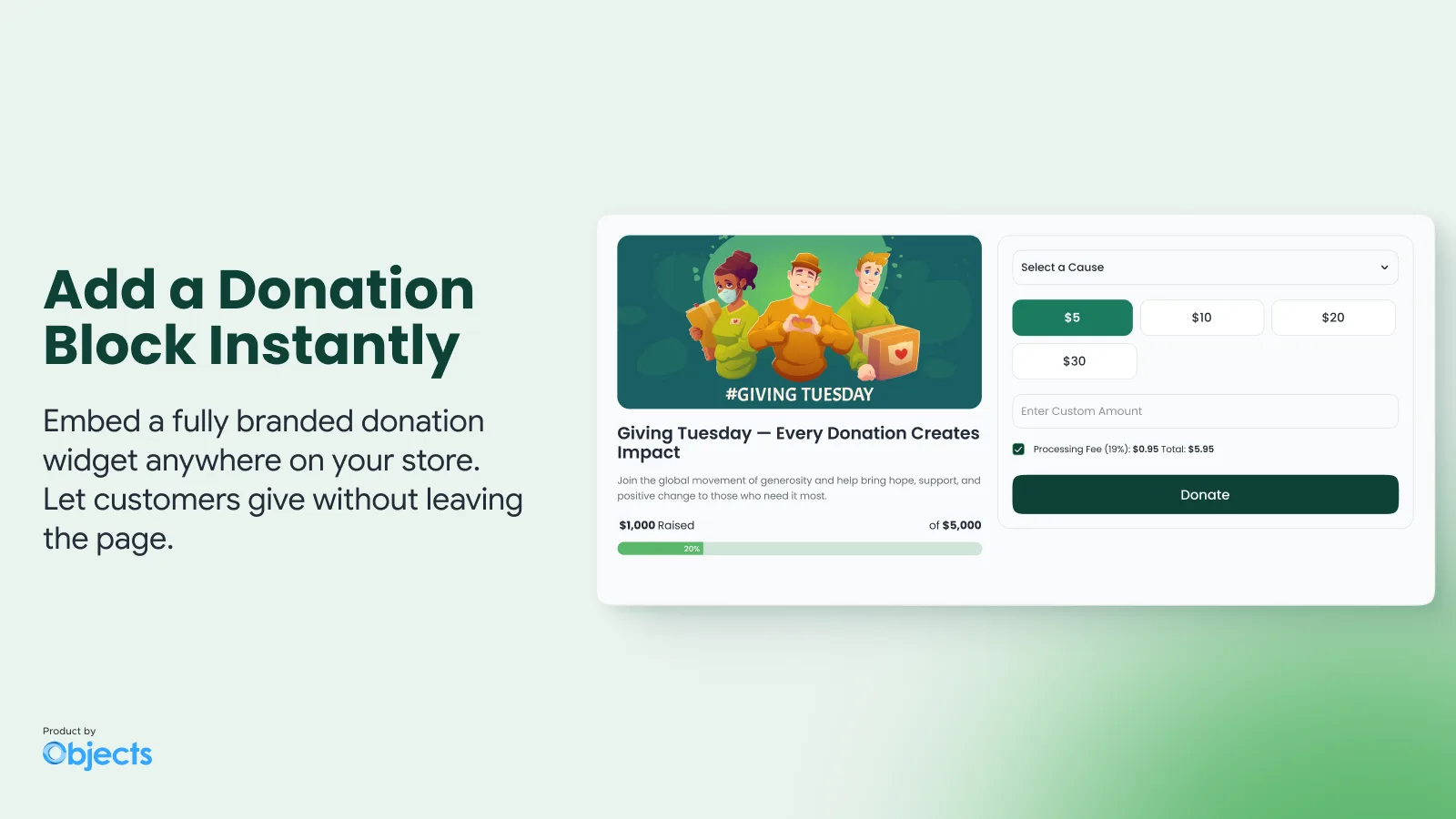
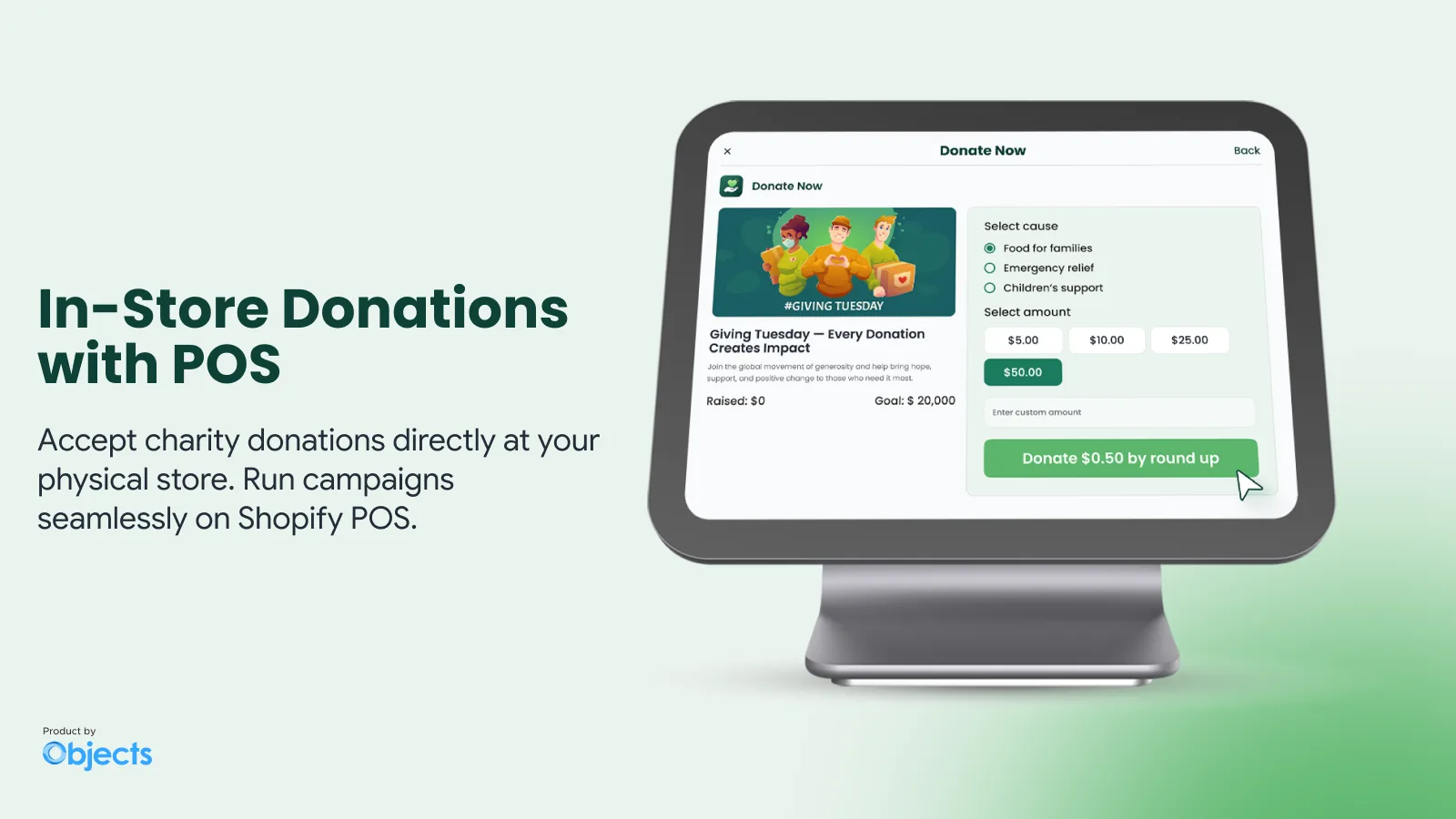
Collect Donations at Your Physical Store Too
If you also run a physical shop, do not leave those sales out. Donate Now works with Shopify POS, so your staff can add the same campaign to an in-person sale. One goal, both channels.
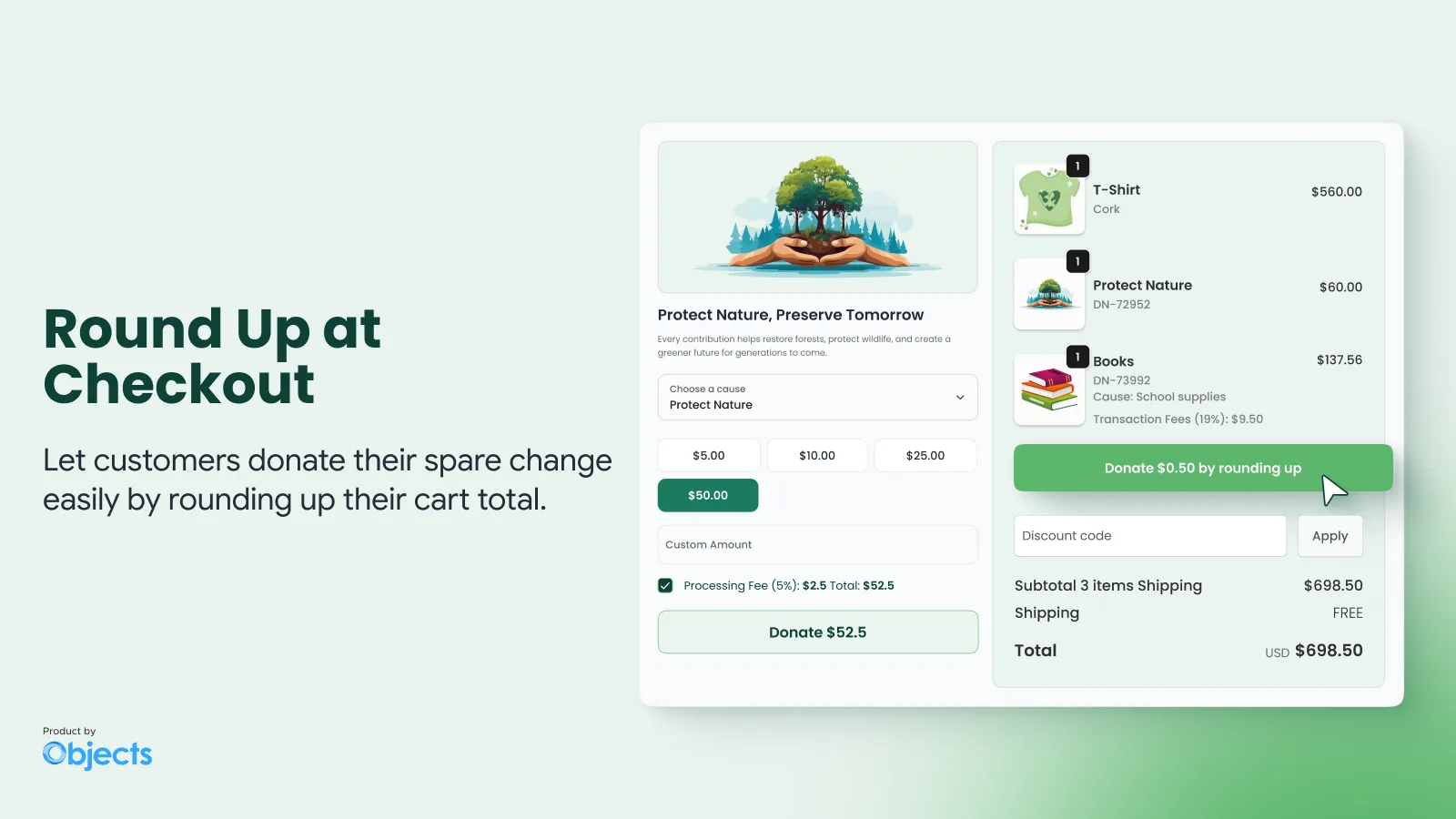
Turn On Round Up at Checkout
Round up adds a small amount to every order automatically, and shoppers give it in one tap. This captures shoppers who never planned to donate, simply because the option showed up at the right moment.
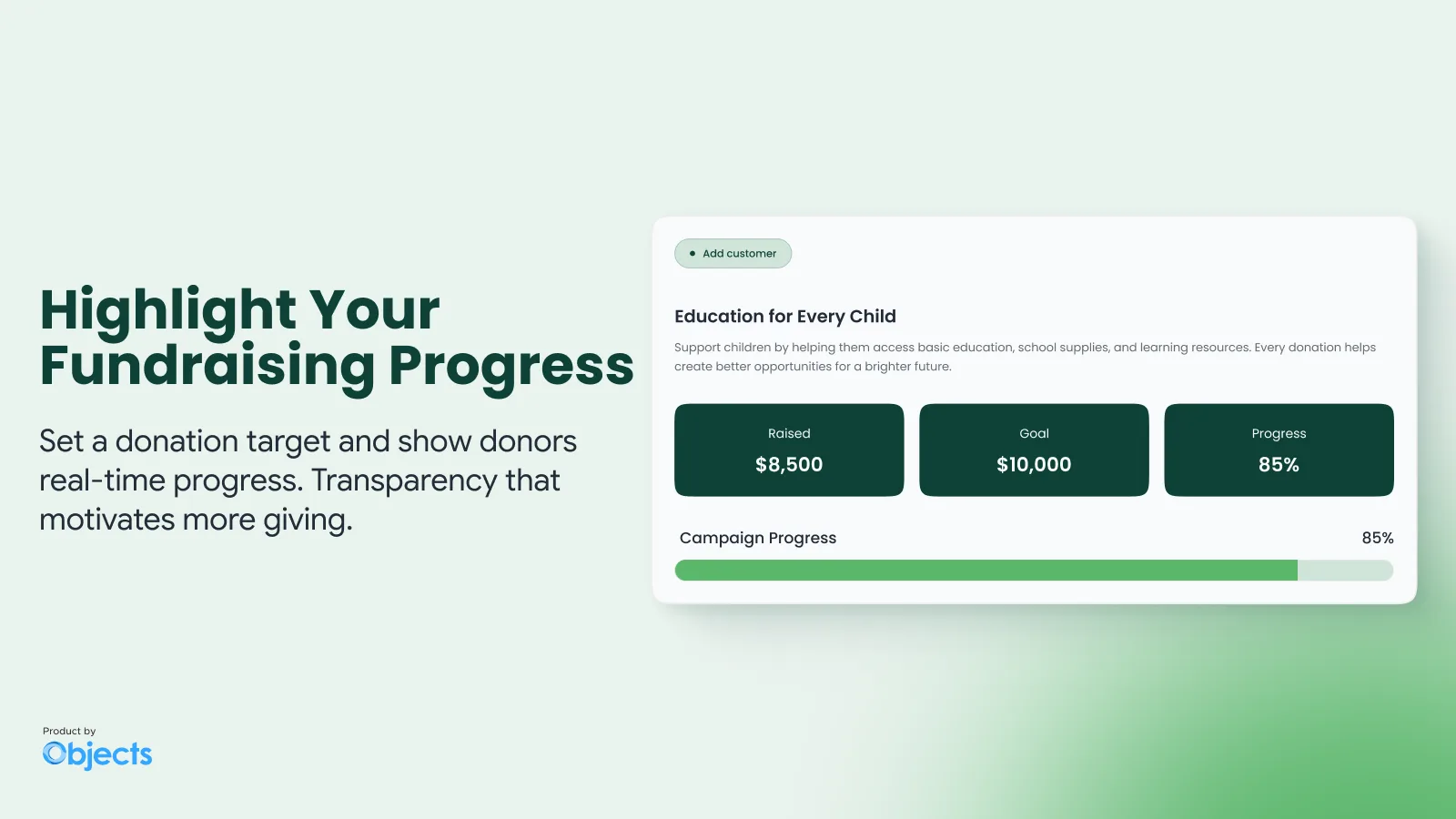
Give Your Campaign a Real Goal and a Donor Wall
A goal with a live progress bar gives shoppers a reason to act today instead of next week. Donate Now also displays a donor wall, so early donations act as social proof for everyone who visits after.
Let Donors Cover the Processing Fee
Every donation loses a small percentage to payment processing. Donate Now lets donors choose to cover that fee themselves. More of each gift then reaches your cause, not a payment processor.
Common Shopify Donation Mistakes That Quietly Hurt Conversions on Giving Tuesday
A donation feature that slows down checkout will cost you more in lost sales than it raises in donations. Some donation apps quietly hurt Shopify carts by adding extra steps or slow scripts at the worst possible moment.
Other common mistakes include:
Posting a generic "we support charity" banner with no real cause or goal attached
Never testing the donation form on an actual phone before launch
Launching the campaign the same week as Giving Tuesday, with no time to promote it
Running a campaign online only, while missing in-person sales completely
How to Accept Donations on Shopify This Giving Tuesday and Beyond?
Donations on Shopify can run through three channels: your storefront widget, your checkout, or in person through Shopify POS. Each one catches a shopper at a different point, and none of them require a separate payment system.
For the full breakdown, our guide on accepting donations on Shopify covers each method in detail. For the complete technical setup guide, you can visit the Donate Now documentation.
Watch How Donate Now Works
For a quick walkthrough of the widget, checkout roundup, and POS setup, watch the video here.
Core Strategies to Raise More on Giving Tuesday With Donate Now
Strategy | What It Looks Like on Shopify |
Tell one real story | Use your banner image and campaign message, not a generic graphic |
Offer more than one way to give | Combine the widget, checkout round up, and POS donations |
Track one shared goal | Combine online widget, round up, and POS totals into one number |
Keep your team focused | Set up the widget and one email, instead of ten small tasks |
Show progress publicly | Let your live goal bar and donor wall do the convincing for you |
Ready to Get Your Shopify Store Giving Tuesday Ready?
Donate Now gives your Shopify store everything essential for this Giving Tuesday campaign in one app. It is built for how Shopify checkout and POS already work. Install Donate Now directly and set up your first campaign today.
If you would rather talk it through, message us on WhatsApp or book a quick call. Either way, December 1st is closer than it feels.
FAQs About Shopify and Giving Tuesday
What is Giving Tuesday, and how should Shopify stores get ready for it?
Giving Tuesday is a global giving day held the Tuesday after Thanksgiving, falling on December 1st this year. Shopify stores get ready by setting a campaign goal, adding a donation widget, and testing checkout before it arrives.
How can shoppers donate directly at checkout during Giving Tuesday campaigns on Shopify?
Shopify checkout can include a donation widget or round-up option during Giving Tuesday campaigns using the Donate Now app. Shoppers can add a small donation to their order total in one tap.
How do I set up donations on my physical store this Giving Tuesday?
In-person donations run through Shopify POS at checkout. Staff can add a donation to any sale during your Giving Tuesday campaign. Donate Now includes native POS support. The same campaign and goal used online also works at the register, with no separate setup.
Can I track one Giving Tuesday goal across my online store and physical location?
Yes. Donate Now tracks one shared campaign goal across your online widget, checkout round-up, and POS donations. Every sale during Giving Tuesday, online or in person, counts toward the same total automatically.
Article by
Muhammad JafferShopify & WooCommerce Expert
Muhammad Jaffer is a WooCommerce and Shopify expert with 7+ years in eCommerce development, SEO, and content. He builds conversion-focused storefront solutions and writes practical guides that help merchants turn traffic into revenue.
View all articlesDonate Now
Add Donate Now to your Shopify store
The best Shopify donation app for charity campaigns, checkout round-ups, and a donor wall. Donate Now works online and at Shopify POS.
There’s More to Read
More practical guides from the Objects team.
 Guides
Shopify Donate Button: Add One in 5 Minutes (3 Easiest Methods)
Shopify has no native donate button. Compare a free donation product, an embedded form, and a no-code app, then see exactly where to place the button so people actually click it.
by Muhammad Jaffer · September 24, 2026
 Guides
How to Accept Donations on Shopify in 2026 (In-store & Shopify POS)
Set up Shopify donations online and at the counter — no developer needed. A clear path from installing a donation app to running your first in-store fundraising campaign.
by Muhammad Jaffer · August 28, 2026